Local $9.99 Option: TypingMind Alternatives, Hidden BYOK Costs
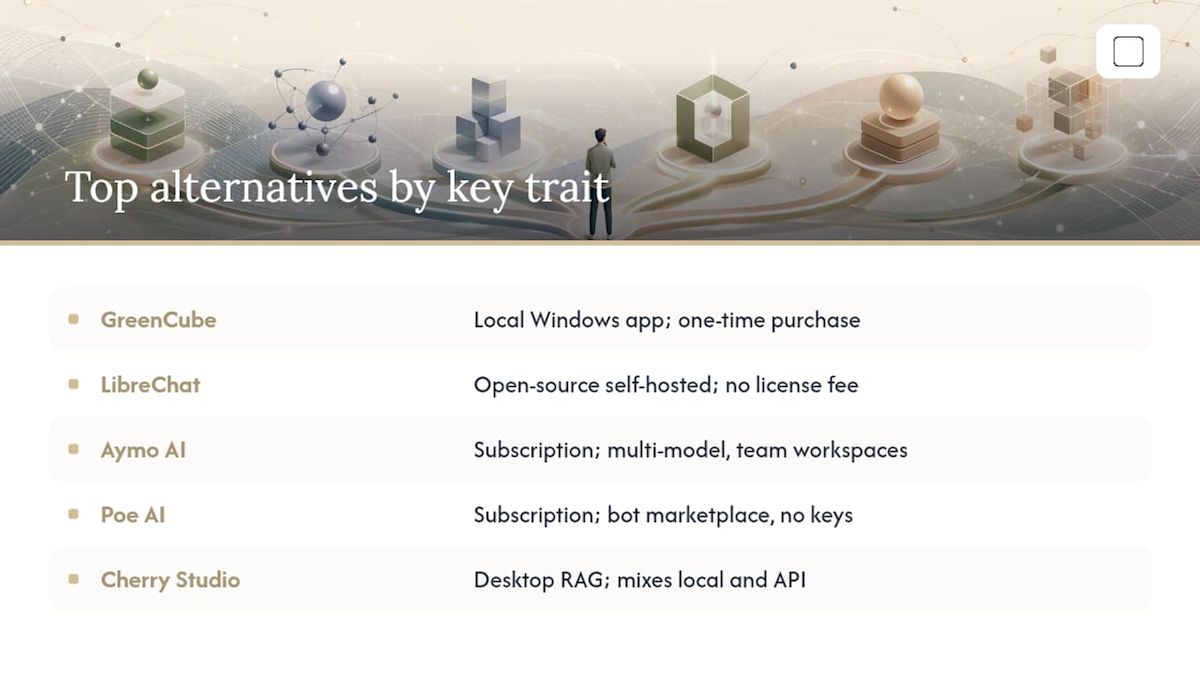
Most TypingMind alternatives fall into three practical buckets: managed multi-model platforms like Aymo AI or Poe AI, open-source self-hosted tools led by LibreChat, and local/offline apps like GreenCube. If privacy and predictable cost matter most, consider a local AI app on Windows. If you want the newest models without managing API keys, try a managed platform. If your team needs full data control and can handle upkeep, LibreChat is the strongest self-hosted option.
TL;DR:
- GreenCube offers a fully offline, local chat and document analysis experience on Windows for a flat one-time fee of $9.99, with no recurring costs.
- LibreChat and Open WebUI are open-source self-hosted options that require technical setup but provide complete data ownership and customization at no license cost.
- Managed platforms like Aymo AI, Poe AI, and Krater eliminate API key management but require ongoing subscriptions, with usage costs potentially exceeding BYOK bills for heavy users.
- BYOK tools like TypingMind may seem cheap initially but can become expensive over time due to token-based billing, especially with high-volume, long conversations.
- For privacy-conscious users with limited setup capacity, GreenCube is the best choice, while teams needing collaboration or multi-model orchestration should consider self-hosted or managed multipurpose tools.
Table of Contents
- Best TypingMind Alternatives at a Glance
- How Do You Choose the Right TypingMind Replacement?
- Ten Alternatives, Ranked by What Actually Matters
- Where GreenCube Fits and Where It Doesn't
- Why Are People Leaving TypingMind in the First Place?
- What This Comparison Actually Tells You
- Getting Started With GreenCube
- Sources
- FAQ
Best TypingMind Alternatives at a Glance
Picking the right replacement for TypingMind comes down to one question before any other: do you want to manage your own API keys, pay a flat subscription, or keep everything on your own machine? That single decision filters out most of the noise in this category.
The table below lines up ten shortlisted tools against the dimensions that actually change your day-to-day experience: how they're deployed, how you pay, where your data goes, and whether teams get shared workspaces.
| Tool | Best For | Deployment | Pricing Shape | Privacy/Data Flow | Multimodal Support |
|---|---|---|---|---|---|
| GreenCube | Privacy-conscious Windows users needing offline document analysis | Local | One-time ($9.99) | Local-only | Images (the bigger model only) |
| LibreChat | Teams needing self-hosted data sovereignty | Self-host | Free, open-source | Local/BYOK | Images, files, code |
| Aymo AI | Budget-conscious users wanting a managed multi-model workspace | Managed / BYOK | Subscription | Provider-processed | Images, files |
| Poe AI | Users who want a broad model marketplace without API keys | Managed | Subscription | Provider-processed | Images, files |
| Open WebUI | Developers needing full hosting control | Self-host | Free, open-source | Local/BYOK | Images, files, code |
| T3Chat | Students and casual users wanting speed | Managed / BYOK | Free tier + subscription | Provider-processed | Text-focused |
| Cherry Studio | Hybrid local/API setups with file-based RAG | Local/BYOK | Free, one-time add-ons | Local/BYOK | Files, RAG documents |
| AnythingLLM | Teams building document-grounded assistants | Self-host / managed | Free, open-source + paid tier | Local/BYOK | Files, RAG documents |
| Krater | Teams wanting a multimodal orchestration workspace | Managed | Subscription | Provider-processed | Images, files, code |
| Jan | Users wanting a lightweight local chat app | Local | Free, open-source | Local-only | Text-focused |
A few things jump out once you see them side by side.
- GreenCube is among the few entries with a flat one-time price and fully local processing for chat and documents.
- LibreChat, Open WebUI, and AnythingLLM are the open-source cluster; all three demand some technical setup but cost nothing to license.
- Aymo AI, Poe AI, and Krater trade a monthly bill for zero API-key management.
- T3Chat and Jan sit at the lightweight end for anyone who just wants a fast, low-friction chat window.
None of these are wrong choices. They just serve different priorities, and the next section walks through how to figure out which priority is actually yours.
How Do You Choose the Right TypingMind Replacement?
The mistake most people make when switching from TypingMind's BYOK model is assuming the one-time license fee is the whole cost. It isn't. TypingMind charges once for the interface, but every message still runs through your own API key, billed per token by OpenAI, Anthropic, or whoever you've connected. Heavy conversational use, especially with long context windows, can quietly cost more per month than a flat managed subscription would.
Self-hosting flips the trade differently. Tools like LibreChat and Open WebUI eliminate that provider-side data exposure entirely, but someone has to keep the server patched, back up the database, and handle model updates. Managed platforms take that burden off your plate in exchange for less control and, usually, provider-side data processing.
Before you switch anything, run through these six questions:
- How many messages or tokens do you realistically send in a month?
- How sensitive is the data you're feeding into the model (client files, medical notes, financial records)?
- Are you working from a single laptop, or does the tool need to run across a team's devices?
- Do you need the assistant to work with no internet connection at all?
- Does your team need shared history, workspaces, or admin controls, or is this a solo tool?
- How much setup time can you realistically spend this week versus over a month?
Pro Tip: Add up your last 30 days of API usage from your provider's billing dashboard, multiply by your average token cost, then compare that number directly to a managed platform's monthly price. If your BYOK bill already beats the subscription, migrating to a flat-rate plan probably isn't worth the switch. This single comparison, recommended by several 2026 buying guides, settles more debates than any feature checklist.
Ten Alternatives, Ranked by What Actually Matters
GreenCube runs entirely on your own Windows PC, with no server round-trip for chats or document analysis. It is available as a one-time purchase, and setup means downloading one of two local models: a smaller model for fast text chat, or a larger model if image reading and building study guides are needed. A sign-in with Google or Microsoft is required once to verify the license, but the conversations do not leave the machine. Migration from TypingMind means no API keys to import, since there aren't any to manage.
LibreChat is the open-source benchmark for self-hosted alternatives, and it shows up on nearly every roundup for good reason: you own the server, the data, and the customization. Migration means standing up your own instance, which takes real technical effort but costs nothing in licensing.
Aymo AI bundles multiple models into one subscription with shared team workspaces, aimed at groups who don't want to distribute API keys to every member.
Poe AI gives you a marketplace of prebuilt bots and models under one subscription, with zero key management required.
Open WebUI is the developer's choice for orchestrating local and API models with full hosting control, similar in spirit to LibreChat but built around a different interface philosophy.
T3Chat strips the interface down to speed and simplicity, useful for students who want quick answers without a bloated dashboard.
Cherry Studio adds a built-in RAG knowledge base to a desktop client that blends local and API models, good for anyone working heavily from reference documents.
AnythingLLM focuses on document-grounded assistants and can run self-hosted or through a managed tier, splitting the difference between LibreChat's control and a managed platform's ease.
Krater offers a full multimodal workspace with built-in model endpoints, aimed at teams that want orchestration without assembling their own pipeline.
Jan keeps things lightweight and local, appealing to anyone who wants an offline chat app without GreenCube's document-analysis layer.
Where GreenCube Fits and Where It Doesn't
GreenCube makes the most sense for someone on Windows who wants their chats and documents to stay off any server, permanently, for a flat one-time price. It's not a subscription, and it's not a race to the most powerful frontier model. It's a trade: you give up some raw model capability in exchange for full data ownership and zero recurring bills.
Setup reality check: GreenCube runs on Windows only, requires downloading one of two local models at first launch, and needs Google or Microsoft sign-in solely to confirm your license, not to sync content.
One model handles fast text conversations but can't read images. Another larger model reads images and builds study guides, but is slower and needs at least 8GB of RAM as a bare minimum. On older machines, that RAM requirement can cause noticeable lag. For deeper setup walkthroughs, GreenCube's own guides cover running a local AI chatbot on Windows and how local models compare to cloud tools like ChatGPT.
Why Are People Leaving TypingMind in the First Place?
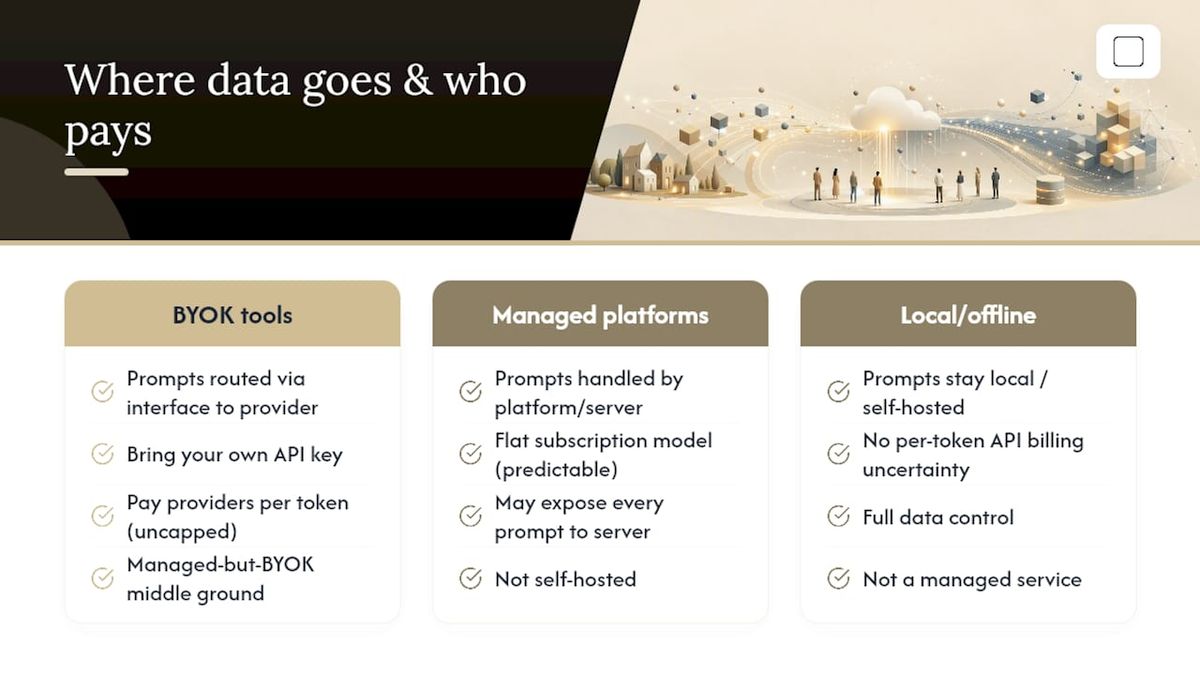
TypingMind's BYOK design is exactly what draws some users in and exactly what pushes others out. You pay once for the interface, then bring your own API key and pay providers directly per token. That's appealing if you use it lightly. It gets expensive fast if you're running long conversations or high daily volume, since nothing caps your per-token spend.
The other friction point is deployment philosophy. TypingMind sits in a managed-but-BYOK middle ground: it's not fully self-hosted like LibreChat, and it's not a flat subscription like Aymo AI or Poe AI. Some users want the data control of self-hosting without the API billing uncertainty. Others want a managed subscription's predictability without exposing every prompt to a third-party server. TypingMind doesn't fully satisfy either group, which is exactly why the market split into these three lanes: BYOK tools, managed multi-model platforms, and local/offline apps.
Community threads on switching often cite mobile app limits, thin plugin ecosystems, and cloud-sync fees as the deciding factors, not big feature gaps. Those are usually smaller, sharper irritations, not deal-breaking flaws, but they add up over months of daily use.
What This Comparison Actually Tells You
The conventional advice in this space treats every alternative like a feature checklist: more models, more integrations, more toggles. That framing misses the actual decision point, which is where your data goes and what it costs you to find out later that it went somewhere you didn't expect.
BYOK tools like TypingMind look cheap until you tally 30 days of token spend. Self-hosted tools like LibreChat look free until someone has to patch the server at 11pm. Local tools trade capability for certainty. None of that shows up in a feature comparison table, but it's the thing that actually determines whether you'll still be using the tool in six months.
If you take one thing from this: run the token math before you migrate anywhere, and be honest about whether your team has the bandwidth to maintain a self-hosted instance. Everything else is a preference.
— GreenCube
Getting Started With GreenCube
If you handle sensitive documents, work offline often, or just don't want another subscription eating into your budget, GreenCube is built for exactly that. It's the practical fit for privacy-conscious Windows users, students who need offline PDF tools during exam season, and professionals who can't risk client files touching a third-party server.

Getting set up takes a few minutes. Check that your Windows machine meets the requirements, then pick your model: a fast, text-only model if you mainly chat, or a larger model if you need image reading and document summaries (plan for the RAM minimum). The app downloads your chosen model once, you sign in with Google or Microsoft to confirm your one-time license, and everything after that runs on your own machine. Head to the GreenCube download page to grab it for $9.99 and start your first offline chat today.
FAQ
How much does TypingMind cost?
TypingMind charges a one-time license fee for its interface, but users still pay their model provider (OpenAI, Anthropic, etc.) per token under its BYOK setup, so total cost depends on usage.
What is the best frontend for LLMs?
There's no single best option. LibreChat leads for self-hosted, open-source control, managed platforms like Aymo AI suit users who want zero API-key hassle, and GreenCube is the strongest pick for anyone prioritizing offline, local-only processing on Windows.
What AI is replacing ChatGPT for privacy-focused users?
Nothing fully replaces ChatGPT's model power, but local tools like GreenCube let privacy-focused users run document analysis entirely offline, trading some capability for full data control at a one-time price.
What is the best open-source chat UI for LLMs?
LibreChat is the most frequently recommended open-source, self-hosted chat UI for teams that need full control over their data and infrastructure.
Is GreenCube a good TypingMind alternative for teams?
GreenCube is built for individual Windows users who want local, private processing rather than shared team workspaces, so teams needing collaboration features are better served by a self-hosted or managed multi-model tool.
Recommended
- The Best NotebookLM Alternatives for Privacy, Research, and Scale
- Gemini Alternatives for Private, Offline Windows AI
- The Best Local AI Chatbot for Windows: Private, Simple, Yours
- Top 5 ChatGPT Alternatives for 2026
Your own AI, on your own PC
GreenCube runs on your computer: no usage limits, no subscription, works without internet. €9.99, paid once.
Get GreenCube