The Best NotebookLM Alternatives for Privacy, Research, and Scale
If you want one answer: GreenCube is the strongest pick if you want an offline, one-time-purchase notebook that keeps documents off the cloud entirely, Perplexity Spaces wins if you need live-web discovery with source tracing, Anara is the move for teams who want cited chat across a shared library, Elicit handles systematic literature review at scale, and Notion remains the best all-around workspace if your notes need to live next to projects, tasks, and databases.
Each solves a different problem NotebookLM leaves unsolved:
- Offline, private document analysis → GreenCube
- Live-web source-grounded research → Perplexity Spaces
- Collaborative cited chat across a team library → Anara
- Large-scale literature screening → Elicit
- Everything-app knowledge base → Notion
- Audio-first summaries → PodGenie or ElevenLabs GenFM
If your priority is privacy or working without internet access, skip ahead to the local/offline section. If you're choosing between research tools for a specific project, the deep dives below break down pricing, source limits, and trade-offs for all 35 tools worth considering.
Key Takeaways
The right NotebookLM alternative depends on whether your priority is data privacy, live-web discovery, team collaboration, or literature-review scale, not which tool has the most features listed.
| Point | Details |
|---|---|
| Privacy-first pick | GreenCube processes documents and chat locally for a one-time €9.99 / $9.99 purchase, no subscription. |
| Live-web research pick | Perplexity Spaces grounds answers in real-time web search with source tracing. |
| Team collaboration pick | Anara supports cited chat across a shared document library with reference manager connectors. |
| Systematic review pick | Elicit handles structured data extraction across large batches of academic papers. |
| Hybrid approach works best | Pair a local notebook for sensitive files with a separate discovery tool for finding new sources. |
| GreenCube's honest trade-off | It's Windows-only for now, needs a one-time model download, and won't out-reason frontier cloud models on complex tasks. |
Table of Contents
- Best NotebookLM Alternatives Compared at a Glance
- How I Evaluated These NotebookLM Alternatives
- Deep Dives: The Top NotebookLM Alternatives
- How to Pick the Right NotebookLM Alternative
- When a Local, Offline Notebook Makes Sense
- What Actually Matters When Choosing a NotebookLM Alternative
- A Different Kind of Alternative to Consider
- Sources
- FAQ
Best NotebookLM Alternatives Compared at a Glance
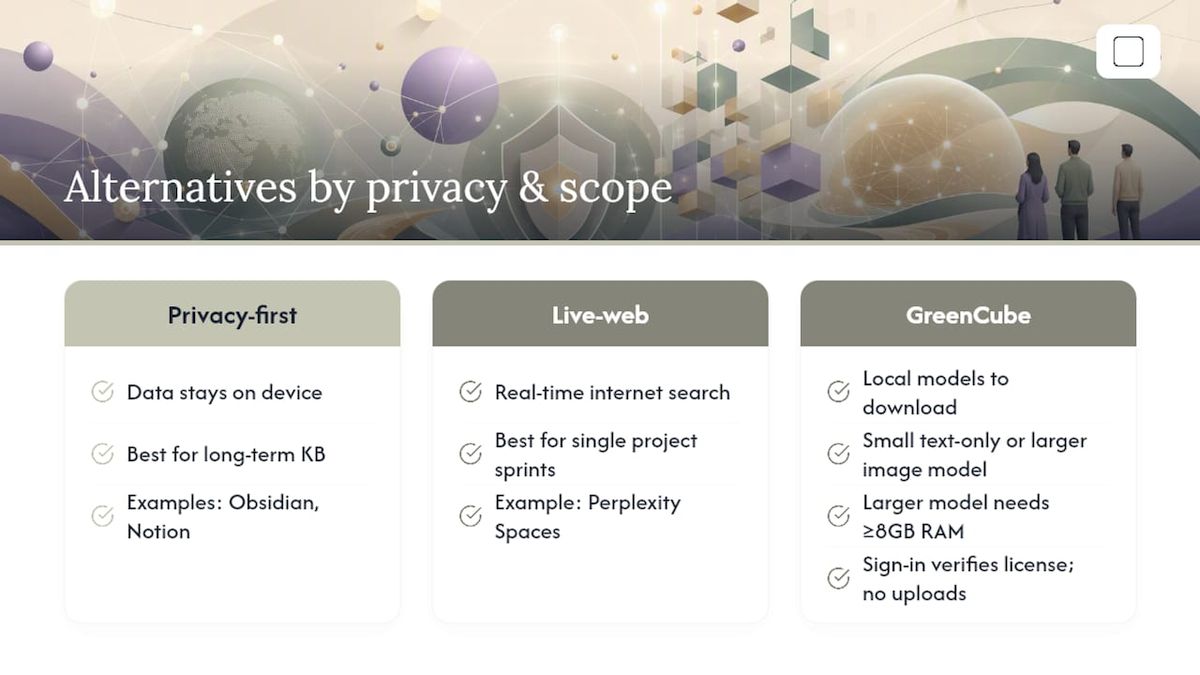
The gap between these tools usually comes down to one question: does your data need to leave your computer? Everything else, source limits, export formats, collaboration, follows from that answer.
Two decisions cut through most of the noise here. First: privacy-first versus live-web discovery. You generally can't get maximum data control and real-time internet search from the same tool. Second: are you managing one project or building a permanent knowledge base, tools like Obsidian and Notion reward long-term linking, while project-scoped tools like Perplexity Spaces are built for a defined research sprint.
GreenCube sits apart from the cloud pack. At setup you pick one of two local models to download once: a smaller, fast, text-only model or a larger model that reads images and builds study guides but needs at least 8GB RAM and runs slower. Sign-in through Google or Microsoft verifies your one-time license, it doesn't transmit your chats or documents anywhere.
How I Evaluated These NotebookLM Alternatives
Every tool on this list got measured against the same checklist, not just a features page.
- Document reading and citation fidelity — does the tool actually quote back to the source, or does it paraphrase and lose the trail?
- PDF and image support — can it handle scanned pages, charts, and screenshots, or plain text only?
- Source limits — how many documents or how much total text can one project hold?
- Offline or local processing — does anything ever leave the device, and under what conditions?
- Model choice and customization — can you pick or swap the underlying AI model?
- Export formats — slides, mind maps, flashcards, or just plain text dumps?
- Collaboration — single-user only, or shared libraries with multiple editors?
- Pricing shape — subscription, freemium, or one-time purchase?
- Learning curve — usable in ten minutes, or does it demand a setup manual?
Testing notes came from three project types: a single-paper deep read (citation accuracy), a 50 to 100 paper literature scan (source limits and search quality), and a multi-source project mixing PDFs and images (multimodal handling and local model constraints on modest hardware). Claims about pricing, source caps, and integrations for third-party tools reflect published vendor documentation and independent testing from outlets like Storyflow and XDA Developers, not firsthand use of every paid tier.
Deep Dives: The Top NotebookLM Alternatives
GreenCube
GreenCube is a desktop AI assistant built with Tauri, Rust, and React that runs entirely on your own Windows PC using llama.cpp for local inference. No server, no cloud round-trip for your documents, no subscription meter running in the background.
Best for: readers who handle sensitive documents, students who need offline study tools, and anyone tired of paying monthly for AI access.
- Chats and document processing happen locally; only license verification touches the internet.
- Unlimited usage after a one-time purchase with a refund window.
- Two model options let you trade speed for capability: a lighter text-only model or a more capable model that reads images and builds study guides.
- Works with no internet connection once set up.
Cons: it's Windows 10/11 only right now (a Mac version is in development), the bigger model needs at least 8GB RAM to run without lag, and it won't out-reason a frontier cloud model on complex, large-scale analysis. GreenCube's case isn't raw power, it's ownership, privacy, and a price you pay once. If you want a notebook that never asks who else can see your files, this is the most direct answer on this list.
Notion
Notion functions as a connected database more than a notebook, pages link to other pages, databases filter and sort, and AI features layer on top of that structure. Best for teams building a permanent, cross-referenced knowledge base rather than a single research project.
- Extensible templates cover everything from research logs to product wikis.
- Strong multi-user editing and permission controls.
- Free tier is genuinely usable; paid plans scale with team size.
Cons: it's cloud-only, and the learning curve for databases and relations is steeper than a simple chat-with-your-documents tool. If your research needs to live next to tasks and team documentation, Notion earns its complexity.
Obsidian
Obsidian stores everything as local markdown files and builds a graph view of how your notes connect. A wide plugin ecosystem (including AI plugins) can bolt on chat-with-your-notes functionality.
- Local-first storage means your notes stay on your machine by default.
- Plugin ecosystem lets you customize almost everything.
- Graph-based linking rewards long-term note builders.
Cons: AI capability isn't native, you're installing and configuring plugins to get NotebookLM-style features, which adds setup time non-technical users may not want. Obsidian rewards patience; GreenCube rewards people who want AI working out of the box.
Perplexity Spaces
Perplexity Spaces grounds answers in live web search rather than only the documents you upload, and organizes research into persistent project spaces. Comparative testing shows this shape solves a genuinely different job than a closed-corpus notebook: live-web source-grounded research rather than deep reading of a fixed document set.
- Live web access means it can pull in new sources mid-project.
- Higher source caps than many closed-notebook tools.
- Source tracing shows where each claim comes from.
Cons: it depends on internet access and sends your queries to the cloud, so it's not the tool for confidential documents. Perplexity Spaces fits discovery-heavy research; it's not built for privacy-first document review.
Elicit
Elicit specializes in systematic literature review, screening large numbers of papers and extracting structured data points across them.
- Built for scale: screening 50, 100, or more papers at once.
- Structured extraction pulls specific data fields instead of just summarizing.
- Strong fit for academic and research teams doing formal reviews.
Cons: it's overbuilt for a single-document deep read and has a learning curve tied to research methodology, not general note-taking. If your work involves formal systematic reviews, Elicit's structured workflow beats a generic chat interface.
Microsoft OneNote
OneNote has been around for years and remains a flexible, free-form note-taking app tightly wired into Microsoft 365.
- Deep integration with Word, Outlook, and Teams.
- Strong multimedia clipping (web pages, handwriting, images).
- Free with a Microsoft account.
Cons: it doesn't natively do source-grounded AI chat the way NotebookLM does, you're taking notes, not interrogating a document corpus. It's the right call if you're already living in Microsoft's ecosystem and want note capture more than AI analysis.
Anara
Anara focuses on team collaboration: cited chat across a shared document library, with reference manager connectors for academic workflows.
- Folder-level cited chat lets teams query a shared library, not just individual files.
- Reference manager integrations suit academic and research teams.
- Multi-user access without each person managing separate uploads.
Cons: it's subscription-based and cloud-hosted, so it doesn't fit anyone avoiding recurring costs or cloud storage. For a research team that needs everyone working off the same source library, Anara's collaboration layer is the differentiator.
PodGenie and ElevenLabs GenFM
Both turn research into audio. PodGenie generates podcast-style overviews from your sources; ElevenLabs GenFM adds more advanced voice and narration control for polished narrated episodes. Testing across multiple 2026 roundups found that NotebookLM's audio overview remains distinctive, and most alternatives trade audio quality for other strengths like source capacity.

Best for: commuters, auditory learners, or anyone who wants a research summary they can listen to instead of read.
Storyflow, Prezent AI, and PodGenie for Deliverables
Storyflow places research on a canvas next to the deliverable you're actually producing, briefs, decks, strategy documents, so research and output live on one surface instead of two separate apps. Prezent AI does something narrower but well: it turns research content directly into presentation-ready slide decks. If your research exists to feed a client deliverable, these beat a plain notebook.
The Open-Source and Self-Hosted Class
OpenNotebook (Open-Source NotebookLM implementations), Open-NotebookLM, and similar projects replicate the upload-chat-generate workflow but require you to host the model and manage the embeddings pipeline yourself. A project like Open-NotebookLM on GitHub shows the pattern: document upload, source-grounded chat, and output generation like slides or mind maps, but with setup friction most non-technical users won't want to deal with. Community threads on platforms like Reddit confirm this is exactly why privacy-minded users go looking for self-hosted options in the first place, they want the control without wanting to build the pipeline. GreenCube exists partly to close that gap: local processing without needing to configure a model server yourself.
The Rest of the Field
Saner.AI, Tana, Mem, Reflect, Heptabase, and Capacities each take a different angle on personal knowledge management, some lean into AI-assisted tagging, others into visual canvas layouts or daily-note workflows. TheDrive.AI, Humata, ChatPDF, Unriddle/Unriddl, Afforai, and Paperguide compete in the document-chat space, mostly cloud-hosted, mostly PDF-focused, with varying source caps and citation quality. Glasp works as a web highlighter and social knowledge tool rather than a full notebook. Claude Projects and ChatGPT Projects let you group documents and conversations inside general-purpose chat assistants, useful if you already pay for one of those subscriptions and don't want another tool. Atlas, Logically, Mymind, and Evernote round out the field with varying degrees of AI integration layered onto older note-taking foundations. Recall and Recall AI focus on auto-summarizing and resurfacing things you've already consumed, articles, videos, audio, more memory tool than research tool.
How to Pick the Right NotebookLM Alternative
Answer these questions honestly before you commit to a tool:
- Do you need live web search, or are you working from a fixed set of documents?
- Does anything in your document set count as confidential, client work, medical records, financial data?
- Are you working alone, or does a team need shared access to the same library?
- Do you need citation-traced answers you can verify against the original page?
- Will you still be using this tool in a year, or is this a single-project need?
Watch for these red flags before you pay for anything:
- No inline citations or source-tracing, you can't verify where an answer came from.
- A source limit so low it can't hold your actual project.
- Export formats locked to one proprietary file type with no plain-text or PDF option.
- A privacy policy that's vague about where your documents are processed or stored.
- Pricing that hides real limits behind a "contact sales" wall.
Once you've narrowed it down, run a real test before buying anything long-term: upload three representative documents, ask the same five questions across your top two candidates, and check whether the citations actually point to the right passage. Then check the export formats and model options against what your actual workflow needs, not what the pricing page promises.
When a Local, Offline Notebook Makes Sense
Privacy-conscious individuals, anyone handling client or patient documents, and students who need to study without reliable internet access get the most out of a local-first tool. Analysts tracking this space describe a persistent trade-off between cloud convenience and local ownership, few tools in 2026 manage to offer both without compromise.
Setup realities worth knowing before you commit to any local tool:
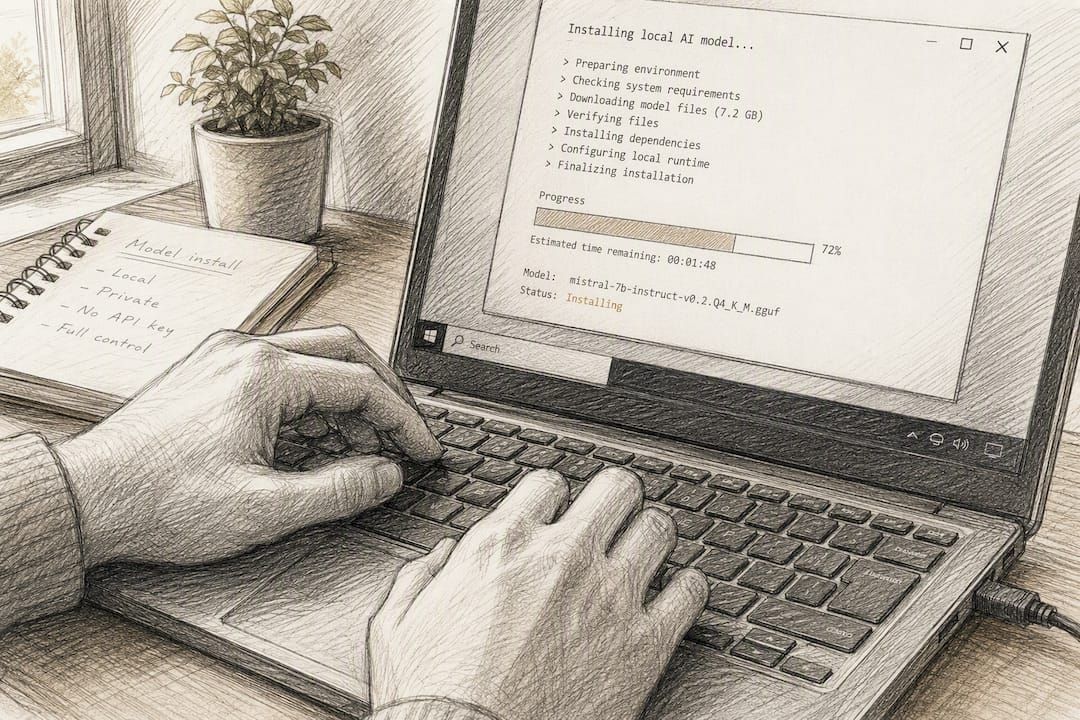
- Expect a one-time model download in the 2GB to 4.2GB range depending on the model you choose.
- Sign-in through Google or Microsoft is typically required to verify a license, this doesn't mean your documents get uploaded anywhere.
- 8GB RAM is a minimum requirement; larger local models may perform slowly on machines with this amount of RAM.
- Image understanding usually requires a specific model variant; a lightweight text-only model won't read scanned pages or photos.
Pro Tip: If you need both privacy and broad discovery, don't force one tool to do both jobs. Keep sensitive documents in a local notebook and run open literature searches in a separate cloud tool like Perplexity Spaces, then import what you find.
That hybrid approach matches what comparative testing across research workflows has found works best in practice: no single 2026 tool cleanly wins on both privacy and live-web reach.
What Actually Matters When Choosing a NotebookLM Alternative
Most comparison articles treat every alternative as if it's competing for the same job, and that's the wrong frame. A tool built for live-web discovery and a tool built for offline document privacy aren't rivals, they're solving opposite problems. The real mistake readers make is picking based on feature count instead of asking what NotebookLM specifically failed to do for them.
Here's what's underrated: source limits and citation fidelity matter more than flashy features like audio overviews. A tool that gives you fifty sources with weak citation tracing is worse than one that gives you ten sources you can actually verify. And the privacy question isn't paranoia, it's a legitimate constraint for anyone working with client contracts, medical notes, or unpublished research.
If you only take one thing from this comparison: figure out whether your documents can legally or ethically leave your machine before you compare anything else. That single question eliminates half this list immediately and makes the remaining choice much easier.
A Different Kind of Alternative to Consider
Everything compared above, Notion, Obsidian, Perplexity Spaces, Anara, Elicit, and the rest, asks you to trust a cloud service with your documents or accept a steep self-hosting learning curve. GreenCube takes a third path: download it, pick a local model, and your chats and document analysis never leave your PC.

It suits a specific kind of reader: someone who handles sensitive documents, wants AI help without a monthly bill, and doesn't want to configure an embeddings pipeline to get there. Setup means downloading one local model, roughly 2GB for the fast text-only "Quick" option or about 4.2GB for the bigger model that also reads images, and signing in once through Google or Microsoft to verify your one-time license. From there, it works with no internet connection required. Unlike hiring a subscription tool or setting up an open-source alternative, there's no recurring fee and no server to maintain. If offline privacy and a single €9.99 / $9.99 payment sound closer to what you actually need, you can get GreenCube today and see exactly how your data stays on your own machine on the privacy details page.
Sources
A few sources are worth bookmarking if you want to dig deeper into specific categories:
- Any alternatives to NotebookLM? It's basically unusable ... (Android Authority)
- The 12 Best NotebookLM Alternatives in 2026 (We Tested Them All) | Storyflow
- I tried NotebookLM's top competitors to see how they compare (XDA Developers)
Pricing and source limits change often, so confirm current numbers directly on each vendor's page before deciding.
FAQ
Is There Anything Better Than NotebookLM?
It depends what "better" means for you. For live-web research, Perplexity Spaces often outperforms it on discovery; for privacy and offline use, GreenCube and Obsidian solve problems NotebookLM can't touch at all.
Is There Any AI Like NotebookLM That Runs Offline?
Yes. GreenCube runs entirely on your Windows PC using local models, so document chat and analysis work without an internet connection once you've downloaded your chosen model. Open-source projects like Open-NotebookLM offer a similar self-hosted path but require more technical setup.
Does Microsoft Have Anything Similar to NotebookLM?
Microsoft OneNote offers flexible note capture and deep Office integration, but it doesn't natively do source-grounded AI chat across uploaded documents the way NotebookLM does. It's a note-taking tool first, not a document-analysis AI.
Is There a Free Version of NotebookLM Comparable Tool?
Several alternatives offer usable free tiers, including Notion, Obsidian's core app, and Perplexity's free plan, though most cap source limits or advanced features behind a paid upgrade. GreenCube skips the subscription model entirely with a one-time €9.99 / $9.99 purchase instead of a free tier with restrictions.
What Should I Check Before Switching to a Local-First Tool?
Confirm your device meets the minimum RAM requirement, 8GB is a floor, not a comfortable target, and check whether the tool's model options support the document types you actually work with, since some lightweight local models can't read images or scanned PDFs.
Recommended
- Best Microsoft Copilot Alternatives for Privacy in 2026
- Best Perplexity Alternatives in 2026 for Research and Work
- Best LM Studio Alternatives for Local AI in 2026
- Top 4 Claude Alternatives for 2026
Your own AI, on your own PC
GreenCube runs on your computer: no usage limits, no subscription, works without internet. €9.99, paid once.
Get GreenCube