Best Perplexity Alternatives in 2026 for Research and Work

What are the best Perplexity alternatives right now?
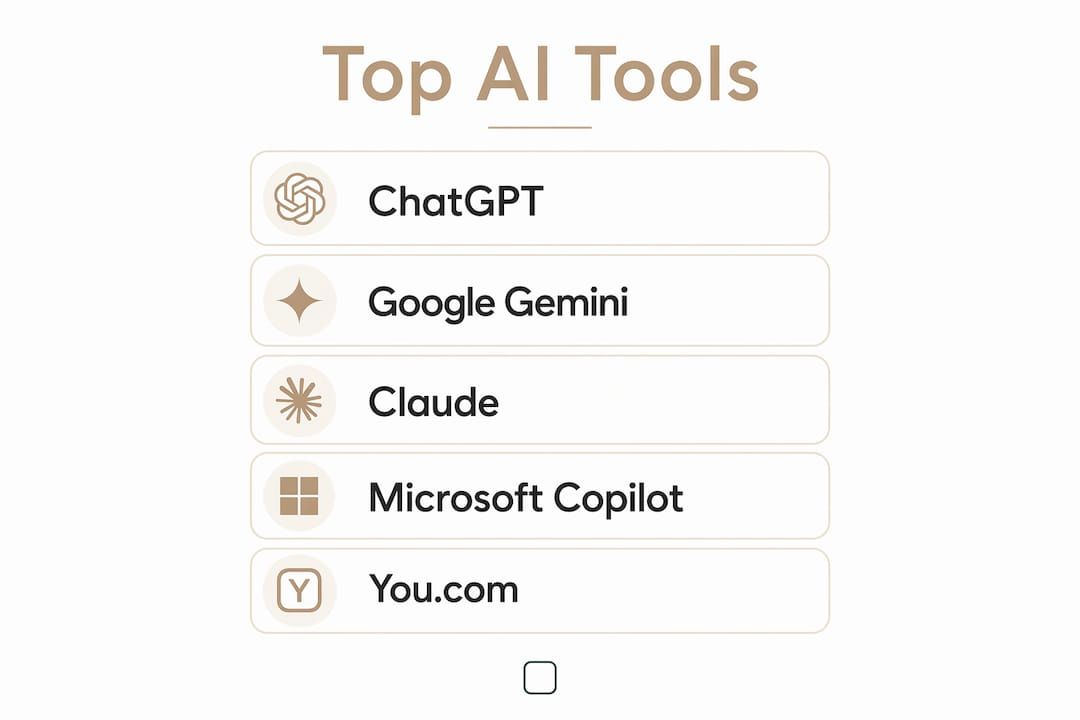
The strongest alternatives to Perplexity in 2026 are ChatGPT, Claude, Google Gemini, Microsoft Copilot, You.com, and Grok for mainstream users, with Consensus, Exa AI, eesel AI, Saner.AI, Kagi, Andi, Felo.ai, Hika, Search Atlas, Okara AI, Sai, Custom GPTs, ChatGPT Team, and Notion rounding out the field for specialized needs. Perplexity built its reputation on citation-first answers, but its free tier caps daily searches, it offers no coding support, and its cloud-dependent architecture means your data always routes through Perplexity's servers. For users who need more than a clean answer page, the alternatives below win on workflow depth, document handling, privacy, and price.
The canonical comparison is below. Prose profiles follow the table.
| Tool | Best For | Key Features | Pricing | Privacy Approach |
|---|---|---|---|---|
| ChatGPT | General research, writing, coding | Web browsing, code execution, image input, custom GPTs | Free / $20/mo | Standard cloud; data opt-out available |
| Google Gemini | Google Workspace users | Native Gmail/Docs/Drive integration, 1M token context | Free / $19.99/mo | Google ecosystem data handling |
| Microsoft Copilot | Microsoft 365 users | Unlimited free searches, inline citations, M365 grounding | Free / $30/user/mo | Microsoft Graph; enterprise controls |
| Claude | Long documents, careful reasoning | 200K token context, document synthesis, Projects | Free / $20/mo | Strong privacy; enterprise zero-retention |
| Grok | Breaking news, social sentiment | Live X post archive, real-time web search | Included in X Premium+ | xAI data policies |
| You.com | Privacy-focused, developer search | Customizable modes, unlimited free searches | Free / $20/mo | Minimal data retention |
| Saner.AI | Note-taking plus AI search | Knowledge organization, task capture, daily planning | Free / ~$8–16/mo | Private workspace |
| Consensus | Academic and evidence-based research | Peer-reviewed source retrieval, citation-first answers | Free / ~$11.99/mo | Research-focused, no ad targeting |
| Sai | Desktop task automation | Local file and app access, multi-step orchestration | Not publicly listed | Local execution |
| Okara AI | Personal knowledge work | Private knowledge base, focused AI assistance | Not publicly listed | Secure, private |
| eesel AI | Enterprise internal knowledge | 100+ integrations (Confluence, Zendesk, Google Docs) | From $299/mo | Business-grade data isolation |
| Exa AI | Developers, semantic research | Neural embedding search, API-first, structured output | Free tier / pay-as-you-go | API-level controls |
| Search Atlas | Deep research queries | Curated AI search, insight generation | Not publicly listed | Standard |
| Custom GPTs | Specialized workflow automation | OpenAI GPT foundation, custom instructions | Included with ChatGPT Plus | OpenAI standard |
| Hika | Workflow automation | Task-flow integration, productivity focus | Not publicly listed | Standard |
| Felo.ai | Business research via API | API access, data synthesis for companies | Not publicly listed | Business-focused |
| Kagi | Privacy-first cited search | No tracking, transparent ranking | Paid only | No profiling, no ads |
| Andi | Conversational search | Natural language interface, supporting citations | Free | Minimal data collection |
| ChatGPT Team | Business team collaboration | Shared GPTs, team workspace, admin controls | $30/user/mo | Business data isolation |
| Notion | Knowledge management with AI | AI-enhanced docs, project management, note organization | Free / $10/mo | Standard cloud |
How these tools were evaluated
Every tool in this list was assessed against the same set of criteria, applied to real-world research tasks rather than vendor marketing copy.
- Pricing model: free tier generosity, subscription cost, and pay-as-you-go options
- Citation accuracy: whether sources are inline, numbered, or absent by default
- Context window: how much text the tool can process in a single session
- Workflow integrations: native connections to Google Workspace, Microsoft 365, Slack, Notion, and developer APIs
- Platform availability: web, desktop, mobile, and API access
- Privacy and data handling: whether prompts are retained, used for training, or kept local
- User segment fit: students, developers, business teams, privacy-conscious users, and content creators
Testing covered three core scenarios: open-ended research queries requiring cited sources, document analysis with long PDFs, and multi-step task automation. Tools were also assessed on ecosystem compatibility since a tool that lives natively inside your existing apps saves real time. Free tiers were tested before paid upgrades to reflect how most users actually start.
In-depth look at the leading options
ChatGPT: the broadest all-around alternative
ChatGPT holds a significant share of the AI search market in early 2026, which tells you something about where most users already land. At $20/month for Plus, it matches Perplexity Pro on price and beats it on workflow breadth. You get web browsing with numbered citations, code execution, image analysis, voice input, and the ability to build Custom GPTs for specialized tasks. The weakness is that it is not citation-first by default. You need to prompt it to browse, whereas Perplexity cites automatically on every answer.

For research that turns into writing, analysis, or code, ChatGPT covers the whole chain in one tool. That is the real reason it tops most comparisons.
Standout use cases: content creation, coding assistance, multi-modal research, building custom AI workflows.
Claude: the document specialist
Claude added web search in 2025 and now competes directly on research tasks, but its real edge is document depth. The 200K token context window lets you drop an entire contract, research library, or transcript into a single prompt and get a coherent synthesis back. Claude Pro is available for $20/month. The Projects feature lets you ground answers in your own uploaded knowledge base, which is closer to a private RAG setup than anything Perplexity offers natively.
Citations appear when Claude browses, but it is not as citation-dense as Perplexity. Use it when the research problem starts with documents you already have, not when you need fast web retrieval.
Google Gemini: built for the Google stack
Gemini taps Google's own search index directly, giving it access to fresher and broader web data than Perplexity's crawler. At $19.99/month for Advanced, it also unlocks a 1 million token context window. The practical reason to choose it is simpler: if your work already lives in Gmail, Docs, Sheets, and Drive, Gemini is already there with no extra setup. For Google Workspace users, switching between a research tool and a productivity suite is friction that Gemini eliminates.

The trade-off is citation style. Gemini links sources but weaves them into prose rather than numbering them inline the way Perplexity does.
Microsoft Copilot: the genuinely free option
Microsoft Copilot is available without charge with no daily search limit and no account required at copilot.microsoft.com. It runs on Bing's index with GPT-4o under the hood and returns inline citations on every answer. For anyone frustrated by Perplexity's capped free tier, Copilot is the first alternative to try. The business version at $30/user/month adds grounding in your Outlook, SharePoint, OneDrive, and Teams data, which is where it genuinely separates itself from every other tool on this list.
Pro Tip: If your team already pays for Microsoft 365, check whether Copilot is already included in your license tier before buying a separate AI subscription.
You.com: privacy and customization
You.com is the closest structural match to Perplexity among the free alternatives. It returns cited, synthesized answers from the live web, and its free plan has no daily search limit. The differentiator is control: you choose which AI model answers (Smart, Genius, or Research mode), and which sources it prioritizes. Developers get a dedicated Code Mode that pairs web search with code generation. YouPro has a paid subscription tier at $20/month, making it the most affordable paid upgrade in the mainstream tier.
Grok: real-time social intelligence
Grok searches both the live web and the full X post archive, which gives it access to information that standard search indices miss entirely: expert opinions posted minutes ago, real-time market sentiment, and niche technical threads. It is included with X Premium+. For breaking news and trending topic research, nothing else in this list comes close. For academic or document-heavy work, it is the wrong tool.
Consensus: evidence-first academic research
Consensus is built specifically around peer-reviewed literature. Every answer cites the actual study, displays the paper summary, and links to the source. For students, researchers, and journalists who need evidence-based retrieval rather than web synthesis, it fills a gap that Perplexity and ChatGPT leave open. The free plan covers basic searches; Premium runs about $11.99/month. Its limitation is also its strength: it deliberately narrows the search space to scholarly sources, so it is not a general-purpose replacement.
eesel AI: internal knowledge for business teams
eesel AI is not trying to search the internet. It connects to your company's actual knowledge sources, including Confluence, Zendesk, Google Docs, and 100+ other integrations, and answers questions based on your private data. It also takes action: triaging support tickets, calling APIs, and escalating issues. It is priced for teams, not individuals, starting at $299/month. For businesses where the real problem is unlocking internal knowledge rather than searching the public web, it is a different class of solution than Perplexity.
Exa AI: structured output for developers
Exa uses neural embeddings rather than keyword matching, which makes it strong for discovery-oriented research where the relevant sources may not contain the exact query terms. Its API-first design returns clean structured data, making it the right choice for developers building RAG pipelines or AI agents that need predictable, schema-controlled output. Perplexity's conversational design is optimized for human readability; Exa is optimized for machines consuming the output.
The remaining tools at a glance
Saner.AI combines AI search with note-taking and task capture, making it useful for knowledge workers who want research and organization in one place. Free plan available; paid tiers run roughly $8–16/month.
Kagi is a paid-only, privacy-first search engine with no tracking and no ad targeting. Strong for users who want citation-transparent results without any profiling.
Andi offers a conversational search interface with supporting citations and minimal data collection. Good for casual research with a natural language feel.
Sai is a desktop AI agent focused on local file and app access with multi-step task orchestration. Suited for users who want AI-driven automation that runs on their own machine.
Okara AI provides a private workspace for personal knowledge work with a secure knowledge base. Details on pricing are not publicly listed.
Search Atlas targets deep research queries with curated AI search and insight generation. Pricing is not publicly listed.
Hika focuses on task-flow automation and productivity integration. Pricing is not publicly listed.
Felo.ai offers API access optimized for business research and data synthesis. Pricing is not publicly listed.
ChatGPT Team at $30/user/month adds shared GPTs, team workspaces, and admin controls for business collaboration on top of the standard ChatGPT Plus feature set.
Notion is not a search engine, but its AI layer turns Perplexity-style findings into reusable notes, briefs, and project systems. Free plan available; AI features start at $10/month. For AI business strategy workflows, pairing a search tool with Notion as a knowledge layer is a common and effective setup.
How to choose the right alternative for your needs
The right tool depends almost entirely on what happens after you get an answer.
By user type:
- Students and academics: Consensus for verified scholarly sources; Google Gemini for broad free access with real-time search; Claude for synthesizing long readings.
- Developers: Exa AI for structured semantic search and API pipelines; ChatGPT for coding assistance and Custom GPTs; You.com for its dedicated Code Mode.
- Business teams: eesel AI for internal knowledge automation; ChatGPT Team or Microsoft Copilot for collaborative workflows inside existing productivity suites.
- Privacy-conscious users: Kagi for no-tracking cited search; You.com for minimal data retention; GreenCube for fully offline, local-only AI with no cloud dependency at all.
- Content creators and journalists: Grok for real-time social and news data; ChatGPT for drafting and analysis in the same session.
By pricing priority:
Microsoft Copilot is the only fully free option with unlimited searches and inline citations. You.com and Gemini offer genuinely functional free tiers. Grok is included with X Premium+. For paid plans, most major alternatives cluster at $20/month, matching Perplexity Pro. Kagi is paid-only from the start.
By ecosystem:
If your team runs on Microsoft 365, start with Copilot. If you live in Google Workspace, Gemini is the obvious first move. For standalone desktop use with full privacy, a local AI app is a different category entirely.
By workflow depth:
Perplexity wins when you want a focused cited answer page and nothing else. Combining tools covers more ground: use Perplexity or Copilot for fast web citations, then hand the output to Claude or ChatGPT for drafting and deeper analysis. Most serious researchers run two or three tools rather than hunting for one perfect replacement.
Pro Tip: Trial free tiers for two weeks before upgrading. The tool you actually open every day matters more than the one with the longest feature list.
GreenCube: private AI that lives on your computer
Every tool in this comparison sends your prompts to a cloud server. That is the default model for AI in 2026, and for most use cases it works fine. But if you are working with sensitive documents, client data, or simply want an AI that is yours rather than rented, the cloud dependency is a real constraint.

GreenCube is a desktop AI app that runs entirely offline on your own Windows computer. No account, no subscription, no data ever leaving your machine. You install it, and it works. Chat with it, read PDFs through it, analyze images with it. The one-time purchase model means you pay once and use it forever, with no monthly fee eating into your budget. If you've been reading about ChatGPT's data practices and wondering whether your prompts are being used for training, GreenCube answers that question by removing the question entirely.
For non-technical users who want capable AI without model setup or cloud accounts, GreenCube is worth a look as a complement to the web-based tools above. Mac support is coming; Windows is available now.
FAQ
Which tool is better than Perplexity for most users?
ChatGPT with web browsing is the strongest overall alternative. It matches Perplexity Pro at $20/month and adds writing, coding, image analysis, and custom workflow support in the same tool.
What is the best free alternative to Perplexity?
Microsoft Copilot is the best completely free option, with unlimited searches and inline citations at no cost. You.com is the second-best free choice and most closely mirrors Perplexity's search interface.
Is Claude better than Perplexity for research?
Claude is better when your research starts with long documents. Its 200K token context window handles full contracts, transcripts, and research libraries in one prompt. For fast web citations, Perplexity is still more citation-dense by default.
Who is ChatGPT's biggest competitor?
Google Gemini is ChatGPT's closest competitor at scale, particularly for users embedded in the Google ecosystem. Claude competes directly on document reasoning and long-form research tasks.
Can I use multiple AI tools together instead of picking one?
Yes, and most serious researchers do. A common setup pairs a citation-first tool like Perplexity or Copilot for quick web retrieval with Claude or ChatGPT for drafting and deeper analysis, then Notion or Saner.AI to organize the output.
Key Takeaways
ChatGPT is the best all-around Perplexity alternative in 2026, matching it on price while adding writing, coding, and document analysis in a single workflow.
| Point | Details |
|---|---|
| Best overall alternative | ChatGPT at $20/month covers research, writing, coding, and image analysis in one tool. |
| Best free option | Microsoft Copilot offers unlimited searches and inline citations at zero cost. |
| Best for long documents | Claude's 200K token context window handles full contracts and research libraries in one prompt. |
| Best for academic research | Consensus retrieves peer-reviewed sources with citation-first answers for students and researchers. |
| Best for full privacy | GreenCube runs entirely offline with a one-time purchase, so no data ever reaches a cloud server. |
Recommended
- Does ChatGPT train on your data? (2026) — the honest answer
- GreenCube — AI that's yours, not rented
- How much water does AI use? (2026) — the real numbers
- Why GreenCube — you're not the customer, you're the training data
Your own AI, on your own PC
GreenCube runs on your computer: no usage limits, no subscription, works without internet. €9.99 (US$9.99), paid once.
Get GreenCube