Gemini Alternatives for Private, Offline Windows AI
If you want a downloadable AI assistant that never sends your chats or documents to the cloud, your realistic options are GreenCube, Foundry Local, OnPrem.LLM, Ollama, and llama.cpp. For most privacy-conscious Windows users who just want to install something and start working, GreenCube is the pick: fully offline chat and document reading, a one-time download of 2GB to 4.2GB depending on the model, and no subscription.
Every option here satisfies the core requirement: chat and document processing happen entirely on your device, not on someone else's server.
- GreenCube: Windows desktop app, two local models, one-time price, non-technical setup.
- Foundry Local: Microsoft's developer runtime with hardware-accelerated model aliases.
- OnPrem.LLM: Production-grade offline RAG pipelines for regulated document work.
- Ollama: Single-binary local model server for CLI-comfortable users.
- llama.cpp: The low-level engine many of the above run on top of.
Key Takeaways
GreenCube gives privacy-focused Windows users the simplest path to a fully offline AI assistant, while Foundry Local, OnPrem.LLM, Ollama, and llama.cpp serve more technical, developer-driven use cases.
| Point | Details |
|---|---|
| Local means offline | Chat and document analysis happen entirely on your PC, with no data sent to a cloud server. |
| Model choice affects capability | Smaller models (~2GB) run faster but skip image reading; larger models (~4.2GB) add it and need more RAM. |
| Setup still requires a download | Every tool on this list, including GreenCube, requires downloading at least one local model before first use. |
| Security shifts, doesn't disappear | Running locally removes cloud logging risk but makes you responsible for handling untrusted files safely. |
| GreenCube fits non-technical users | It pairs a one-time €9.99 / $9.99 price with a guided install, making it the simplest offline pick for Windows. |
Table of Contents
- Best Gemini Alternatives for Offline Windows Use, Compared
- How Local Assistants Work With the Rest of Your Desktop
- Protecting Yourself From Bad Inputs on a Local Model
- What to Expect From Local Models on a Typical Windows Laptop
- Author Perspective: The Honest Case for Going Local
- Try GreenCube: One Download, No Subscription, Fully Yours
- Sources
- FAQ
Best Gemini Alternatives for Offline Windows Use, Compared
Picking between these five comes down to one question: how much setup work are you willing to do in exchange for how much control? A developer building a custom pipeline wants different things than someone who just wants a private assistant for reading contracts on a Tuesday afternoon.
| Tool | Offline / Data Stays Local | Install Complexity | Model Options & Size | RAM/GPU Needs | Cost & License | Windows Support |
|---|---|---|---|---|---|---|
| GreenCube | Yes, chat and docs fully local | Very low, guided install | the smaller model (~2.6 GB, text only), the bigger model (~4.2GB, reads images) | 8GB RAM minimum for the bigger model | €9.99 / $9.99 one-time | Windows 10 |
| Foundry Local | Yes, on-device inference | Moderate, SDK/CLI setup | Multiple aliases | Varies by hardware variant | Free, commercial use permitted | Windows-first, Copilot+ PCs |
| OnPrem.LLM | Yes, designed for air-gapped use | Moderate to high, Python config | Runs quantized models via llama.cpp, Ollama, vLLM | Depends on chosen backend | Open source | Cross-platform |
| Ollama | Yes, local model serving | Low, single binary | Pulls open-weight models (Llama, Mistral, others) | Scales with model chosen | Open source | Windows, Mac, Linux |
| llama.cpp | Yes, runs entirely on-device | High, command-line and build steps | Any quantized GGUF model | Scales down to modest CPUs | Open source (MIT) | Windows, Mac, Linux |
GreenCube asks you to pick a model at setup and download it once. The smaller model handles fast plain-text chat in about 2GB. The bigger model, at roughly 4.2GB, adds image reading and document/study-guide generation but needs 8GB RAM as a floor, and that floor runs slow on aging laptops. Sign-in through Google or Microsoft verifies your one-time license, but your conversations and files never leave the machine. Good for: anyone who wants private AI running in under five minutes with zero configuration.
Foundry Local is Microsoft's local LLM runtime, built for developers who want an OpenAI-compatible API without shipping data to Azure. It selects hardware-specific model variants automatically and ships SDKs for Python, JavaScript, and .NET. Good for: engineers integrating local inference into their own Windows apps. The tradeoff: it's a runtime, not a finished assistant, so you're building the interface yourself.
OnPrem.LLM targets production RAG pipelines for organizations handling regulated documents. It supports llama.cpp, Ollama, and vLLM as backends, and includes a no-code web UI for non-technical staff. Good for: teams that need document search across large offline archives. The setup still assumes someone comfortable with Python configuration.
Ollama simplifies running open-weight models to a single command. Its unified API and one-binary install make it the fastest CLI route to a working local model. Good for: technical users who don't need a polished interface, just a fast way to test models. It has no built-in document reading or GUI of its own; you pair it with other tools for that.
llama.cpp is the engine underneath much of this list. It runs quantized Llama-family models efficiently on modest hardware, which is exactly why Ollama, OnPrem.LLM, and GreenCube all build on it. Good for: technically inclined users who want maximum control and don't mind compiling from source.
How Local Assistants Work With the Rest of Your Desktop
A local AI tool that can't talk to anything else on your PC is a novelty. The ones worth installing fit into how you already work.
Foundry Local's biggest advantage here is its OpenAI-compatible API, which means existing scripts and apps built for cloud APIs can often point to a local endpoint with minimal rewriting. Developers building on Windows can wire it into VS Code extensions, automation scripts, or internal tools without learning a new interface.
Ollama plays a similar role as a backend other software calls into. Plenty of GUI wrappers, note-taking apps, and browser extensions treat it as a shared local server, which is part of why it's become a default choice for developers stitching together their own workflow.
OnPrem.LLM leans toward document-heavy integration: feeding it a folder of contracts or reports and getting searchable, private RAG output that other internal tools can query.
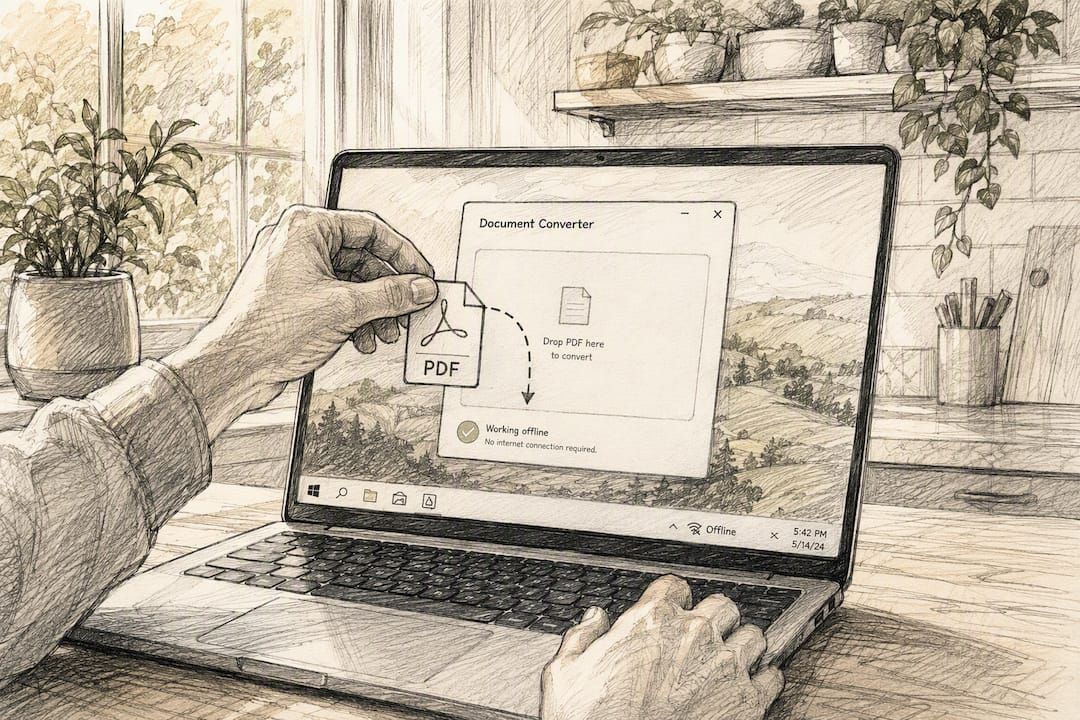
GreenCube takes the opposite approach on purpose. It's a standalone desktop app, not a component you wire into other software. You open it, drop in a PDF or an image (with the bigger model), and get an answer. There's no API to configure and nothing to integrate, which is exactly the point for someone who wants privacy without becoming a systems administrator. If you need a tool that plugs into a larger automated pipeline, Foundry Local or Ollama fit that job better. If you want something that works the moment you install it, GreenCube's simplicity is the feature.
Protecting Yourself From Bad Inputs on a Local Model
Running a model locally removes one entire category of risk: your prompts and documents never sit on a company's server waiting to be logged, retained, or used for training. That doesn't mean local setups are risk-free. A model still needs to handle malicious or malformed inputs, corrupted PDFs, prompt injection attempts, or files designed to crash a parser.
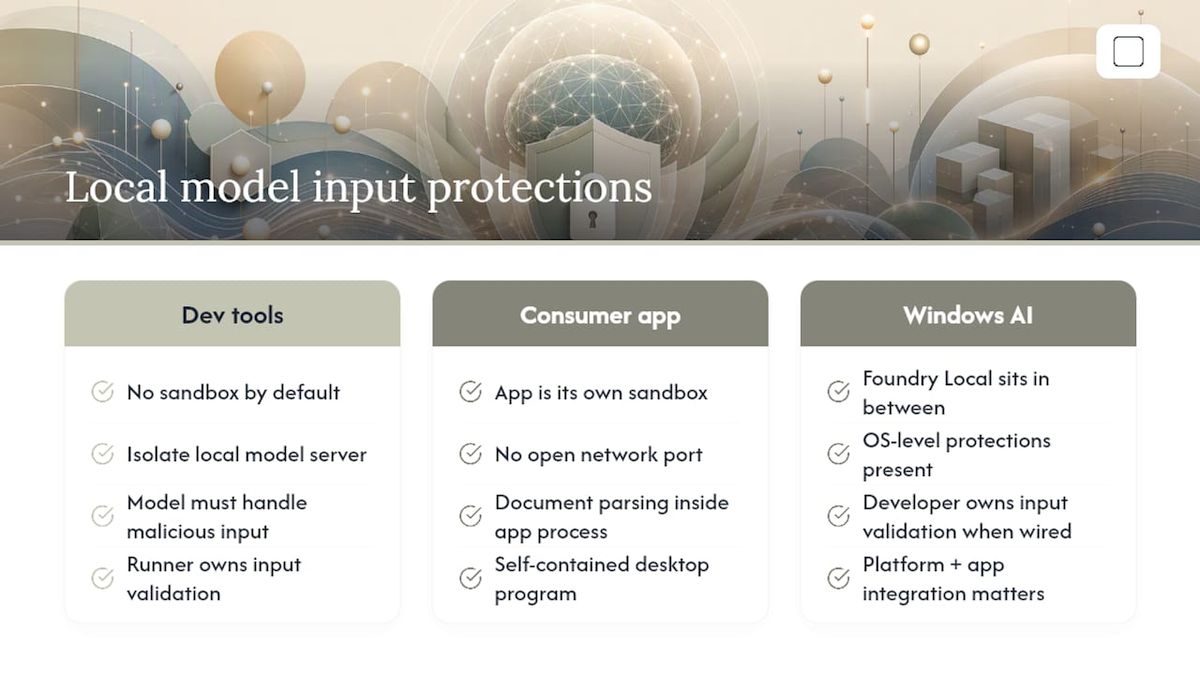
Developer-facing tools like llama.cpp and Ollama put that responsibility on the person running them. There's no sandbox by default, so anyone feeding untrusted files into a local model server should isolate that process the way they'd isolate any local service handling unknown input. OnPrem.LLM's production framing assumes a similar level of technical oversight, since it's built for teams that already run other backend infrastructure.
Consumer-facing apps like GreenCube handle this differently: the app itself is the sandbox. Because it's a self-contained desktop program rather than an exposed API endpoint, there's no open network port for an attacker to reach, and document parsing happens inside the app's own process rather than a shared server. Foundry Local sits in between: Microsoft's Windows AI stack includes standard OS-level protections, but a developer wiring it into a custom app still owns the input validation for that app.
The practical rule holds across every tool on this list: local doesn't automatically mean secure, it means the attack surface moves from "the cloud provider's servers" to "your own machine," and you're the one responsible for it.
What to Expect From Local Models on a Typical Windows Laptop
Benchmarks for local AI vary wildly by hardware, so treat any specific number with suspicion, including your own first test. What holds steady across tools is the general pattern: smaller models respond faster and use less memory, larger models answer more capably and demand more RAM or VRAM to stay responsive.
GreenCube's smaller model (Gemma 4 E2B, about 2.6 GB) is built for speed on modest hardware. It handles plain-text chat quickly but can't read images. The bigger model (Gemma 4 E4B, about 4.2GB) adds image understanding and document analysis at the cost of speed, and needs a minimum amount of RAM to run effectively, which can still feel slow on an older dual-core laptop.
Foundry Local's model aliases exist specifically to manage this tradeoff automatically, picking the best-accelerated variant for whatever CPU, GPU, or NPU is present. Ollama and llama.cpp leave that choice to you, which gives more control but also more room to pick a model too large for your machine.
One consistent finding across local RAG deployments: retrieval quality tends to bottleneck performance more than raw model size. A smaller model with good document chunking often outperforms a larger model with sloppy retrieval, which matters more for OnPrem.LLM and llama.cpp users tuning their own pipelines than for GreenCube users, where that tuning is handled for you.
Author Perspective: The Honest Case for Going Local
We recommend local assistants because private documents deserve a tool that keeps them on your own PC, and offline continuity matters when your internet doesn't. Cloud models still win for large multimodal projects or real-time web lookups. But for HIPAA- or GDPR-sensitive work, local-first isn't a compromise. It's the requirement.
Try GreenCube: One Download, No Subscription, Fully Yours
Everything in this comparison shares one trait: the moment you stop paying a subscription, most cloud assistants stop working for you. GreenCube flips that. Pay once, at €9.99 / $9.99, and the app is yours with no recurring fee and no usage cap.

Getting started takes a few minutes. Sign in with Google or Microsoft once, purely to verify your one-time license, then pick your model: the smaller model (~2.6 GB, fast, text-only) for everyday chat, or the bigger model (~4.2GB, needs 8GB RAM minimum) if you want image reading and document/study-guide generation. That model downloads once and runs on your machine from then on, with no server involved in your actual conversations. If it's not for you, GreenCube offers a 15-day refund, no explanation required. Head to the GreenCube product page to see the full feature breakdown, or go straight to checkout and download your model today.
Sources
- Why the future of AI is also local
- Foundry Local — get started
FAQ
What is the best Gemini alternative for offline Windows use?
GreenCube is the simplest fully offline option for non-technical users, while Foundry Local and Ollama suit developers who want more control over their setup.
Do these tools require any internet connection at all?
Chat and document processing run fully offline once installed; GreenCube only requires internet briefly to verify your one-time license through Google or Microsoft sign-in.
How much storage do local AI models need?
Model sizes range from about 2GB for lightweight text-only models up to 4.2GB or more for models that also read images and documents.
Can these apps read PDFs and images?
Document and image reading depends on the model: GreenCube's bigger model handles both, while its the smaller model and several other tools on this list are text-only or require added configuration.
Is local AI as capable as cloud models like Gemini?
No. Local models trade some raw reasoning power for privacy, offline access, and a one-time cost, so cloud models still lead on large-scale, real-time, or highly complex tasks.
Recommended
- Top 3 Offline AI Solutions: Ollama Alternatives 2026
- Best Microsoft Copilot Alternatives for Privacy in 2026
- AI Without Internet: Run Local AI Privately on Any Laptop
- Best Humata AI Alternatives for Private Offline Use
Your own AI, on your own PC
GreenCube runs on your computer: no usage limits, no subscription, works without internet. €9.99, paid once.
Get GreenCube