Choose by Hardware, Not Leaderboards: Best Small LLM for Local Use
For most privacy-conscious buyers who want an offline assistant without fiddling with model files, GreenCube is the fastest path to a working local setup, since it wraps a small LLM into a one-time desktop app. If you would rather build your own stack, pick your model by hardware tier first, then task, then license. This guide covers both paths, without naming or ranking any competing product.
TL;DR:
- Memory capacity and hardware tier should determine your model choice first, not benchmark scores, to ensure it actually runs on your device.
- Low-RAM machines under 8GB are limited to sub-1B to 3B models with slow generation, suitable mainly for short tasks like chat or classification.
- For 8 to 16GB RAM, models around 3B to 8B parameters like Phi-4-mini handle most local assistant needs but may slow on longer outputs.
- Larger RAM, 24GB or more, supports multimodal, heavy coding, or production workloads with longer context windows and multiple models.
- When deploying locally, prioritize memory compatibility, task fit, license restrictions, and actual hardware testing over leaderboard benchmark scores.
Table of Contents
- Which Small LLM Fits Your Hardware and Task?
- How Do You Choose a Small LLM for Local Use?
- What Are the Best Deployment Practices for Local LLMs?
- How Should You Read Benchmark Scores Like HumanEval and MMLU?
- What Can You Actually Build With a Small LLM Locally?
- Why GreenCube Is a Practical Fit for Privacy-First Buyers
- The Hardware-First Rule Beats the Leaderboard-Chasing Habit
- Try GreenCube: What to Expect at Install
- Where to Verify These Claims
- Sources
- FAQ
Which Small LLM Fits Your Hardware and Task?
The single biggest mistake people make when picking a small LLM is starting with a benchmark leaderboard instead of a tape measure. Memory capacity, not model reputation, decides what actually runs on your machine. Match your hardware tier to a model category first, then narrow by task.
CPU-only or low-RAM machines (under 8GB) call for what's best described as low-RAM reasoning models. Sub-1B and 1 to 3B parameter models fit here, generation is slow (think seconds per sentence, not instant replies), and they're best suited to short chat, text classification, and simple extraction tasks. MobileLLM-Pro, at roughly 1.08 billion parameters, shows that careful attention design and near-lossless int4 quantization can make a model this small genuinely usable on CPU, including a 128k context window that punches well above its parameter count.
8 to 16GB of RAM or VRAM opens the door to single-GPU multitask models in the 3B to 8B range. This is where most everyday local assistants live. Phi-4-mini, at 3.8B parameters, can run on as little as roughly 3.5GB of VRAM once quantized, making it one of the most practical picks for constrained laptops. Models at this tier handle chat, document summaries, and light coding help competently, though you'll notice slowdowns on longer outputs.
24 to 32GB is the sweet spot for what you could call a single-GPU serious assistant. This range supports multimodal models (text plus images) and stronger coding or lightweight agent workloads. Mistral Small 24B Instruct sits here, with a 32k context window and benchmark scores strong enough to compete with models several times its size on instruction following.
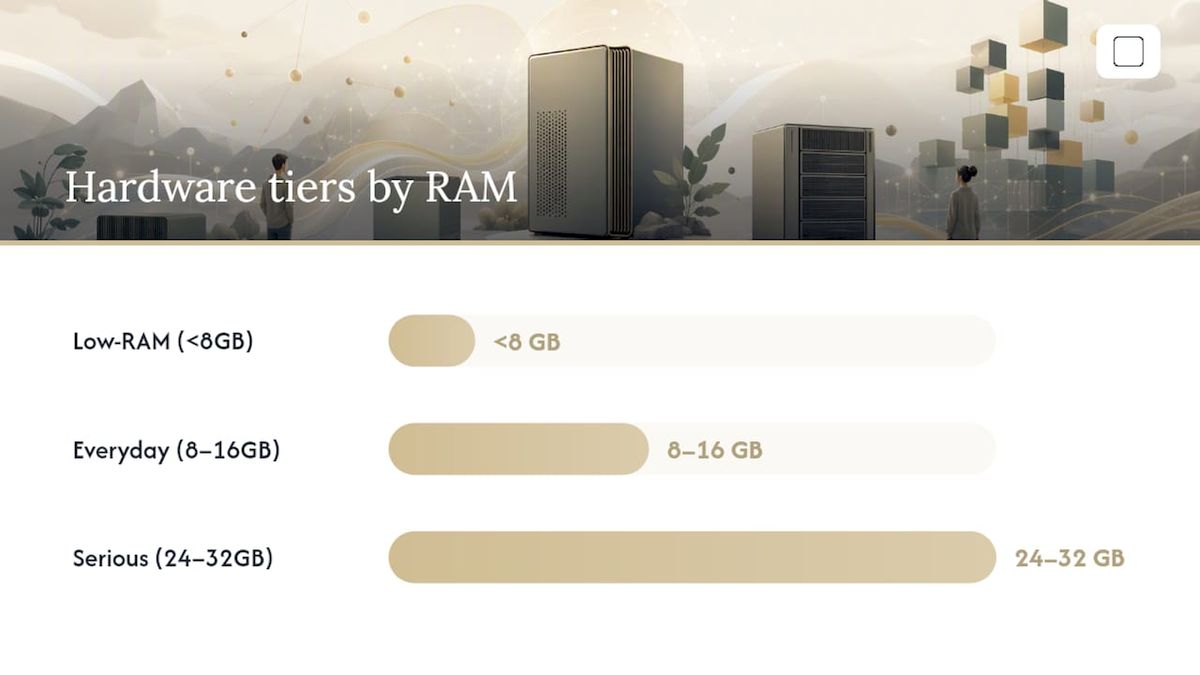
48GB or more is workstation territory: long-context work, multiple models running side by side, and production retrieval-augmented generation (RAG) pipelines that need to hold large document sets in memory alongside the model itself.
Task mapping matters as much as tier:
- Coding: favor models specifically tuned on code corpora and check their HumanEval score before anything else.
- General reasoning and chat: the 3B to 8B range covers most needs; Qwen3-class models are frequently recommended as a strong, permissively licensed default.
- Multilingual work: check the model card explicitly. Not every small model trains equally across languages.
- Multimodal (image plus text): you need a model built for it. Text-only models cannot be retrofitted to read images.
- Embedded or edge devices: stick to sub-2B models with quantized checkpoints designed for CPU or mobile accelerators.
How Do You Choose a Small LLM for Local Use?
Work through this in order. Skipping ahead to "which model is smartest" before checking your hardware is the most common source of wasted setup time.
- Check available memory first. Add up your GPU VRAM (if any) plus system RAM, then subtract what your OS and other apps need. This number, not the model's reputation, sets your ceiling.
- Define the actual task. Coding, document Q&A, casual chat, and multimodal image reading each favor different model families.
- Confirm the license fits your use. Apache 2.0 and MIT licenses are the least restrictive and generally clear for commercial use. Some model releases carry usage restrictions on commercial deployment, output redistribution, or downstream fine-tuning. Read the actual license file, not just the marketing page.
- Check the context window against your workload. A model with a short context window will silently truncate long documents; a huge context window on a small model can blow past your memory budget through KV-cache growth.
- Verify tooling support. Does the model have a quantized GGUF version for llama.cpp? Does it support function calling if your workflow needs it? Missing tooling turns a great model on paper into a dead end in practice.
- Test before committing. Run the model on your actual hardware with your actual prompts before building anything on top of it.
Choosing by memory first and task second is the approach Hugging Face's own guidance on running models locally recommends, and it's the rule that eliminates the most trial and error.
Watch for red flags: vague or missing license files, no quantized checkpoints available, benchmark numbers with no methodology disclosed, and community reports of the model needing far more VRAM than advertised. Before trusting any model with real work, run a "must test" batch: one long-document summary, one multi-turn conversation, one task requiring a specific output format (like JSON), and one edge case in your actual domain.
Pro Tip: Load your five hardest real prompts, not generic demo prompts, and run them on the exact model and quantization you plan to deploy. A model that aces a demo but stumbles on your actual documents just cost you nothing to discover, versus discovering it after you've built a workflow around it.
What Are the Best Deployment Practices for Local LLMs?
Getting a small LLM running is easy. Getting it running well on hardware that isn't a data center GPU takes a few deliberate choices around quantization and runtime.
Quantization formats and what they cost you. Quantization shrinks a model's weights from full precision (typically 16-bit) down to smaller representations, trading a small amount of accuracy for a large amount of memory savings.
- Q4_K_M: roughly 4-bit quantization with mixed precision on sensitive layers. This is the most common sweet spot for consumer hardware, cutting memory use by more than half versus full precision with modest quality loss.
- Q5_K_M: a step up in precision and memory use from Q4_K_M, worth it when you have headroom and want fewer quality compromises.
- int4 / int8: integer quantization schemes common in mobile and accelerator runtimes. MobileLLM-Pro's documentation reports near-lossless results at int4 on its architecture, though results vary by model design.
Runtime choice matters as much as the model itself. llama.cpp is the standard choice for CPU-only or modest-GPU setups and is what powers most lightweight desktop AI apps. vLLM targets throughput on dedicated GPU servers, batching requests efficiently for multi-user scenarios. ExecuTorch and xnnpack-based runtimes target mobile and edge accelerators where power draw matters as much as speed.
Benchmarking your own setup beats trusting a spec sheet. Measure tokens per second on your actual hardware with your actual quantization level. Watch KV-cache growth as context length increases. A model that produces 40 tokens per second on a short prompt can drop sharply once you feed it a 20-page document, because the cache holding prior tokens grows with context length. Testing your specific hardware and task combination rather than relying on someone else's benchmark run is the single most reliable way to know what you're actually getting.
Practical knobs for squeezing out more speed:
- Reduce your context window to only what the task needs; a smaller window means a smaller KV cache and faster generation.
- Use streaming output so the interface feels responsive even when total generation time is unchanged.
- Batch requests when running multiple prompts, especially on GPU runtimes built for throughput.
- Lower the sampling temperature for tasks needing consistency (extraction, classification); it reduces the computation spent exploring alternative token paths.
How Should You Read Benchmark Scores Like HumanEval and MMLU?
Benchmark numbers tell you how a model performed on a fixed test set, not how it will perform on your documents, your code style, or your users' phrasing. Treat every leaderboard score as a starting filter, never a final answer.
HumanEval measures code generation against a set of programming problems, useful as a rough proxy for coding capability but a poor predictor of how a model handles your specific codebase or framework. MT-Bench scores multi-turn conversation quality, judged by another AI model, which makes it good at catching conversational coherence but blind to factual accuracy. MMLU tests broad academic knowledge across dozens of subjects, a solid signal for general reasoning but nearly irrelevant if your use case is narrow, like contract review or customer support. WildBench draws on real user conversations rather than curated test questions, making it a better proxy for messy, real-world instruction following than the more academic benchmarks.
Mistral Small 24B Instruct illustrates the gap well: it posts a strong 8.35 on MT-Bench and 52.27 on WildBench with a 32k context window, numbers that look excellent on paper. Those scores don't tell you what tokens-per-second you'll get on your specific GPU, or whether the model handles your niche domain vocabulary.
Tokens per second and latency deserve equal weight to accuracy scores. A model that scores two points higher on MMLU but runs at half the speed may be the wrong trade for a real-time chat application, while it's the right trade for an overnight batch summarization job.
Reproducibility check: benchmark comparisons only mean something when the seed, prompt template, and quantization level match across the models being compared. A model tested at full precision against one tested at Q4 quantization is not a fair fight, even if both numbers came from the same leaderboard.
Run your own short test suite on your own hardware before trusting any headline number. It takes an afternoon and saves weeks of debugging a poor model choice downstream.
What Can You Actually Build With a Small LLM Locally?
Small models earn their keep in a handful of workflows where low latency and data privacy matter more than raw reasoning power.
Agent pipelines benefit from local models when the task involves short-horizon planning and frequent tool calls. A local 7B-class model calling a calculator, a file search, or a calendar API responds in milliseconds instead of waiting on a network round trip, which matters when an agent needs to make dozens of small decisions per task.
Retrieval-augmented generation (RAG) pairs local embeddings with a local small LLM to search and summarize private documents without ever sending them to a third party. This is the workflow privacy-focused users reach for most: contracts, medical notes, financial records, or research papers that should never leave the device.
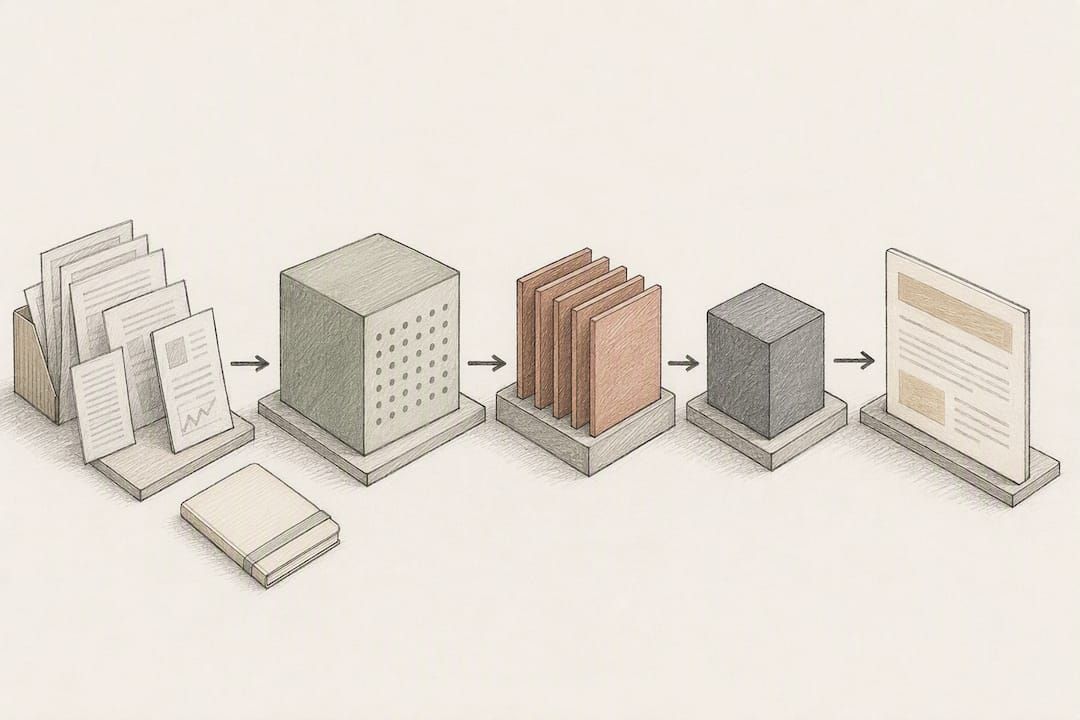
Coding assistants built on local models work best with symbol-aware prompts (feeding in the relevant function or class rather than the whole file), paired with an offline test harness so generated code gets validated before it's trusted. Some teams wire this into continuous integration (CI) pipelines to flag obviously broken suggestions before a human reviews them.
Hybrid local-plus-cloud setups make sense when privacy matters for the input but raw capability matters for the output. Route sensitive data processing (drafting from private documents, summarizing internal notes) to the local model, and reserve cloud frontier models for tasks that need heavier reasoning and don't involve sensitive data. This split is a reasonable compromise, not a workaround: production AI stacks increasingly treat routing between local and cloud inference as a standard design decision rather than an edge case.
Why GreenCube Is a Practical Fit for Privacy-First Buyers
GreenCube runs entirely offline on Windows, and its architecture reflects the hardware-tier logic covered above rather than fighting against it. At setup, you download one of two local models: the smaller model (Gemma 4 E2B, about 2.6 GB) for fast, text-only responses, or the bigger model (Gemma 4 E4B, about 4.2GB) which reads images and builds study guides but needs at least 8GB of RAM to run acceptably. Neither model is downloaded automatically in the background; you choose one, and the download happens once at setup. The one-time price is €9.99 / $9.99, with no subscription and a 15-day refund window.
Sign-in through Google or Microsoft is required to verify the license. Chat and document processing happen entirely on your machine and work with no internet connection; checkout itself runs through Stripe, separate from the offline chat experience.
The honest pitch for a tool like this isn't that it's smarter than a cloud model. It's that you own it outright, your documents never leave your laptop, there's no usage cap to hit, and you pay once instead of every month.
Set expectations accordingly: 8GB of RAM is the floor for the bigger model, not a comfortable cushion, and older hardware will feel it during longer document processing. the smaller model is the safer starting point on modest laptops precisely because it skips image reading and stays lighter on memory. For someone who has read the hardware tiers above and landed on "8 to 16GB, mostly text, wants it simple," GreenCube offers an option close to a direct match without any manual model hunting.
The Hardware-First Rule Beats the Leaderboard-Chasing Habit
Most advice on this topic still leads with "which model is best," as if capability existed independent of the machine running it. That's backwards. A model that tops every chart is worthless if it doesn't fit in your VRAM, and the research bears this out: fine-tuning a small model on your specific domain data often beats bolting on a much larger general-purpose model for the same task.
The conventional wisdom also underrates licensing until it's too late. Plenty of technically excellent models carry commercial restrictions that only surface after someone has built a product around them. Read the license before you read the benchmark.
What should you actually prioritize, in order? Memory ceiling, task fit, license terms, then benchmark scores, in that exact sequence. Anyone who reverses that order ends up chasing capability they can't run or can't legally ship. For most non-enterprise, privacy-conscious readers, that means picking a hardware tier honestly, then choosing a turnkey option like GreenCube instead of assembling a runtime stack by hand.
— GreenCube
Try GreenCube: What to Expect at Install
Installing GreenCube takes a few minutes: download the app, pick a model, sign in once to verify your license, and start chatting offline. The purchase is a one-time €9.99 / $9.99, with no subscription and a 15-day refund if it's not the right fit.

Match the model to your hardware the same way this guide recommends for any local LLM. If your machine has 8GB of RAM and you mainly need fast text chat, start with the smaller model (Gemma 4 E2B). If you have more headroom and want a model that reads images or builds study guides from PDFs, choose the bigger model (Gemma 4 E4B), keeping in mind it needs roughly 8GB of RAM just to run smoothly, not as a bare minimum you're squeezing past.
Once installed, run a quick verification pass: load a real document you work with, ask a multi-step question, and check response speed before committing to a workflow. The installation walkthrough covers setup step by step, and the product page has the full pricing and refund details if you want to check before you download.
Where to Verify These Claims
A few sources back the specific numbers and recommendations in this guide, and they're worth bookmarking if you're benchmarking models yourself.
- Nemotron/NVIDIA's Mistral-Small-24B-Instruct metrics for the MT-Bench and WildBench figures cited above.
- BentoML's small language model roundup for Phi-4-mini's VRAM footprint and 3B-class deployment guidance.
- Hugging Face's guide to running open models locally for the hardware-first selection logic and license guidance.
- MobileLLM-Pro's model card for sub-1B quantization and context window claims.
- daily.dev's local LLM testing advice for benchmarking your own hardware before trusting headline scores.
Sources
- Nemotron / NVIDIA research (Mistral-Small-24B-Instruct metrics)
- The Best Open-Source Small Language Models (SLMs) in 2026 — BentoML
- The Best Open Source and Open-Weight LLM Models to Run Locally in 2026 — Hugging Face
- MobileLLM-Pro model card / Hugging Face
- Daily
FAQ
What Is the Best Tiny LLM for a Weak Laptop?
For CPU-only or low-RAM machines, sub-2B models like MobileLLM-Pro (1.08B parameters) are built specifically for this tier, and Phi-4-mini can run on roughly 3.5GB of VRAM once quantized if you have a modest GPU.
What Is the Smallest LLM Model Available?
Sub-1B parameter models exist for edge and mobile use, with MobileLLM-Pro at 1.08 billion parameters as a documented example that still supports a 128k context window through optimized attention design.
What Is a Good Lightweight Model for General Chat?
Models in the 3B to 8B range, such as Qwen3-class models or GreenCube's smaller model (Gemma 4 E2B), handle everyday chat and summarization well on 8 to 16GB of memory.
Do Small Models Support Multiple Languages?
Multilingual support varies by model family and needs to be checked on the specific model card rather than assumed; some 3B to 24B models handle multiple languages competently while others are English-focused.
Is a Local Small LLM Private by Default?
Local inference itself runs offline once a model is downloaded, but check the specific app: GreenCube's local inference stays fully local, while account sign-in through Google or Microsoft requires an internet connection.
Recommended
- Best Local AI Models by Hardware Tier in 2026
- Run LLMs Locally: 2–5GB Models for Privacy-First Users
- Install Local AI: Get a Working Offline LLM on Your PC
- Offline AI Setup on Windows: Private, Local, and Easy
Your own AI, on your own PC
GreenCube runs on your computer: no usage limits, no subscription, works without internet. €9.99, paid once.
Get GreenCube