Use these ready-to-copy AI prompts to save planning time and produce student-ready materials. Treat each AI output as a first draft that you review and adapt, not a finished product. This library groups prompts by the job you need done: lesson planning, assessment, engagement, communication, and admin, with guidance grounded in UNESCO's guidance on generative AI in education and recent prompt-engineering research.
TL;DR:
- For lesson drafts, specify the role, grade, subject, objective, format, and time limit up front; prompts built around instructional frameworks can produce adaptive plans.
- AI generated answer keys can mismatch question stems, especially in multistep math or science items, so check every key before using a quiz.
- Keep student names, grades, and health details out of unapproved cloud tools; use placeholders or an approved local option for sensitive records.
- Build a lesson workflow by turning a unit overview into a daily plan, then drafting a matching exit ticket; revise outputs instead of restarting.
- Treat every AI draft as unfinished: verify facts and score counts, reread parent messages for tone, and follow district rules before sharing.
Table of Contents
- 1. Lesson planning prompts for units, daily plans, and objectives
- 2. Assessment and feedback prompts for quizzes, rubrics, and comments
- 3. Student engagement and differentiation prompts
- 4. Communication prompts for parents, students, and substitutes
- 5. Administrative prompts for grading summaries, schedules, and notes
- 6. How do you write better prompts as a teacher?
- 7. A paste-ready prompt bank organized by teacher job
- 8. What actually works in the classroom
- 9. GreenCube: an option for teachers who want local, privacy-first AI
- FAQ
- Sources
1. Lesson planning prompts for units, daily plans, and objectives
A good lesson-planning prompt gives the AI your grade level, subject, standard, and time frame before it drafts anything. Paste these in and swap the bracketed details for your own class.
- Unit overview: "Act as a curriculum planner. Build a 2-week unit overview for [grade] [subject] covering [standard or topic], with daily focus areas, a formative check each week, and one summative task."
- Daily lesson plan: "Write a 45-minute lesson plan for [grade] [subject] on [topic]. Include a warm-up, direct instruction, guided practice, independent practice, and a closing question."
- Objective rephraser (three levels): "Rewrite this learning objective in three versions: one for struggling readers, one at grade level, and one for advanced students: [paste objective]."
- Scaffolding sequence: "Break this lesson objective into four smaller steps a student could complete in order, each with a short check-for-understanding question."
- Formative check generator: "Create three quick formative check questions I can ask verbally during a lesson on [topic] to see if students are following along."
- Standards alignment: "Rewrite this lesson plan so each activity names the specific standard it addresses: [paste standard code and plan]."
- Time-constrained version: "Compress this 45-minute lesson plan into a 20-minute version for a shortened schedule, keeping the core objective intact."
- Cross-curricular connection: "Suggest one way to connect this [subject] lesson on [topic] to a concept students are learning in [other subject]."
The pattern that works across all of these is the same: name the role, the grade, the subject, the time limit, and the format you want back. Prompts that skip one of those details tend to produce generic plans you have to rewrite anyway. Research on prompt design for pre-service teachers found that structuring prompts around instructional frameworks like TPACK produces more adaptive lesson plans than loosely worded requests.
2. Assessment and feedback prompts for quizzes, rubrics, and comments
Assessment prompts work best when you specify the question type, the number of items, and whether you want an answer key attached.
- Multiple-choice quiz: "Write a 10-question multiple-choice quiz on [topic] for [grade] students, with four answer choices each and an answer key at the end."
- Short-answer quiz: "Create five short-answer questions on [topic] that require students to explain their reasoning in two to three sentences."
- Exit ticket: "Write a 3-question exit ticket for [topic] that checks whether students met today's objective: [paste objective]."
- Rubric builder: "Build a 4-point rubric for a [grade] [subject] essay on [topic], with clear success criteria for each score level."
- Strength-based feedback: "Write a feedback comment of 50 to 80 words for a student who [describe what they did well and one area to improve]. Keep the tone encouraging."
- Differentiated difficulty: "Rewrite this quiz question at an easier reading level and at a more advanced level: [paste question]."
- Accommodation adjustment: "Adjust this assignment so it works for a student who needs extended time and simplified instructions, without changing the learning goal."
- Partner tool for question banks: When you need a larger bank of practice questions from existing course material, a workflow like the one shown in generating questions from course material can speed up the first draft before you edit for your class.
Always proofread generated quiz keys yourself. AI-written answer keys occasionally mismatch the question stem, especially on multi-step math or science items.
3. Student engagement and differentiation prompts
Engagement prompts should name the activity type and the learning goal, while differentiation prompts should ask for parallel versions rather than a single one-size-fits-all task.
- Project generator: "Suggest a hands-on project for [grade] students to demonstrate understanding of [topic], completable in one class period."
- Debate or simulation: "Design a classroom debate activity on [topic] with two clear sides, discussion questions, and a 5-minute prep structure."
- Three-level task template: "Create three versions of this activity: on-level, simplified for struggling readers, and an enrichment extension for advanced students: [paste activity]."
- Sentence frames for ESL support: "Write five sentence frames to help multilingual learners discuss [topic] in class."
- Vocabulary list with translations: "Build a 10-word vocabulary list for [topic] with student-friendly definitions, and note which terms are commonly confused in Spanish-English contexts."
- Quick translation scaffold: "Translate these instructions into [language] and simplify the sentence structure for a beginner reader."
- Station rotation plan: "Design a 4-station rotation activity for [topic], with one station using technology, one hands-on, one collaborative, and one independent."
- Small-group roles: "Assign four roles for a small-group project on [topic], with a one-sentence job description for each role."
For deeper guidance on letting students use AI directly during class work, our piece on offline AI for students covers how to set up private study workflows that keep their data off shared cloud accounts.
4. Communication prompts for parents, students, and substitutes
Clear communication prompts save time without sounding robotic, as long as you give the AI the specific situation and the tone you want.
- Parent progress update: "Write a short, warm email to a parent updating them on their child's progress in [subject], naming one strength, one growth area, and one thing they can do at home."
- Behavior or missing-work note: "Draft a respectful email to a parent about missing homework, focused on next steps rather than blame."
- Student-facing instructions: "Write step-by-step instructions for a [grade] student to complete [assignment], including materials needed and an estimated time."
- Substitute teacher plan: "Create a substitute lesson plan for [subject], including the daily objective, two simple activities that need no prep, and a note on classroom routines and behavior expectations."
- Class-wide announcement: "Write a short announcement for families about an upcoming [event], with the date, what students should bring, and one action step."
Keep names and specific student details out of any cloud-based chat tool when drafting these, and swap in placeholders before you paste real student information anywhere online.
5. Administrative prompts for grading summaries, schedules, and notes
Admin prompts are where AI saves the most clock time, but they also carry the highest privacy risk because they often involve real student data.
- Grade summary pattern: "Summarize these test scores into a short paragraph describing overall class performance and two trends worth addressing." Always double-check the numbers yourself before sharing; AI tools can miscount or misread pasted data.
- Meeting agenda: "Create a 30-minute staff meeting agenda covering [topic 1], [topic 2], and time for questions."
- Meeting minutes from notes: "Turn these rough notes into clean meeting minutes with action items and owners: [paste notes]."
- To-do list from loose notes: "Organize these scattered notes into a prioritized to-do list for this week: [paste notes]."
- Materials checklist: "Build a checklist of materials needed for this week's lessons based on this outline: [paste outline]."
Pro Tip: Avoid typing student names, grades, or health information into a cloud AI tool your district hasn't approved. Guidance for educators specifically warns against uploading student PII to unsanctioned tools and recommends local or offline options where available.
6. How do you write better prompts as a teacher?
A prompt that names the role, grade, objective, format, and constraints up front almost always beats a vague one-liner. Instead of "make a quiz about fractions," try "act as a 4th grade math teacher and write a 5-question quiz on adding fractions with unlike denominators, with an answer key." The second version gives the AI everything it needs to skip the guesswork.
- Front-load the details: role, grade level, subject, objective, desired format, and any length or time limit, all in the first sentence.
- Iterate instead of starting over: ask for a revision ("make this shorter," "add one more example," "simplify the vocabulary") rather than rewriting the whole prompt.
- Ask the AI to critique its own draft: "What's one weakness in this lesson plan and how would you fix it?" often surfaces gaps you'd otherwise catch only after teaching it.
- Give an example: pasting a sample question or a model answer you like helps the AI match your style.
- Compare two outputs: generate a plan twice with slightly different constraints and pick the stronger pieces from each.
A 2026 study on prompt engineering found that high-quality, well-structured prompts produced notably higher creative outcomes than loosely worded ones, and that teachers who revised prompts iteratively, generating, critiquing, then revising, saw a strong correlation between that habit and the originality of the final output. The same research identified six dimensions that separate strong prompts from weak ones: specificity, context, task breakdown, examples, constraints, and willingness to refine. Keeping that checklist next to your keyboard turns a vague request into a usable draft on the first or second try.
Instructional frameworks that teach AI literacy, including ISTE and AI4K12 guidance, recommend treating prompt-writing itself as a skill worth practicing with students, not just a shortcut for teachers. Keeping a short prompt journal, where you jot down what worked and what didn't, builds that skill over a semester without adding extra prep time.
7. A paste-ready prompt bank organized by teacher job
Below is a working set of templates you can keep open in a browser tab or a notes app and paste into any AI chat, cloud-based or local, whenever a task comes up.
- "Write a one-paragraph lesson summary for [topic] suitable for a classroom newsletter."
- "Generate 5 discussion questions for a Socratic seminar on [topic]."
- "Create a bell-ringer warm-up activity for [subject] that takes 5 minutes."
- "Write a rubric for a group presentation on [topic] with four criteria."
- "Draft a parent email explaining why we're switching to [new classroom routine]."
- "Build a 5-item vocabulary matching activity for [topic]."
- "Write a substitute plan for a day when students are reviewing for a test on [topic]."
- "Summarize this unit's key concepts into five bullet points for a study guide: [paste notes]."
- "Create an exit ticket with one multiple-choice and one short-answer question on [topic]."
- "Draft a brief note to a colleague explaining how today's lesson on [topic] went and what to expect tomorrow."
Two short workflows show how these chain together. For a Monday lesson, start with the unit overview prompt from the planning section, then feed its output into the daily lesson plan prompt, and finish with the exit ticket generator above so the plan and its check-in match. For a grading day, run the grade-summary prompt first, verify the numbers against your gradebook, then use the strength-based feedback prompt to draft individual comments from whatever patterns the summary surfaced.
When you need a faster path to a full quiz bank from existing material, a workflow similar to the one described in this AI quiz generator guide can turn a stack of notes into draft questions in minutes, which you then edit down to your class's level. Small edits, swapping grade level, subject name, or time limit, let every template here flex to a different class period without rewriting the whole prompt from scratch.

8. What actually works in the classroom
The prompts I reach for most are the exit ticket generator, the strength-based feedback template, and the substitute plan builder. All three solve a real time crunch rather than a hypothetical one, and all three take under a minute to adapt once you have the template saved.
AI output still needs your judgment. Check facts, reread tone before anything goes to a parent, and follow your district's policy on what data can go into which tool. The templates here are a starting point, not a replacement for knowing your students.
— Hector Gras
9. GreenCube: an option for teachers who want local, privacy-first AI
If you'd rather run these prompts without sending anything to an outside server, we built GreenCube as a desktop app that works entirely offline on your own computer. You sign in once with Google or Microsoft just to unlock your one-time license. After that, your chats and documents never leave your machine unless you turn on a feature that specifically goes online.
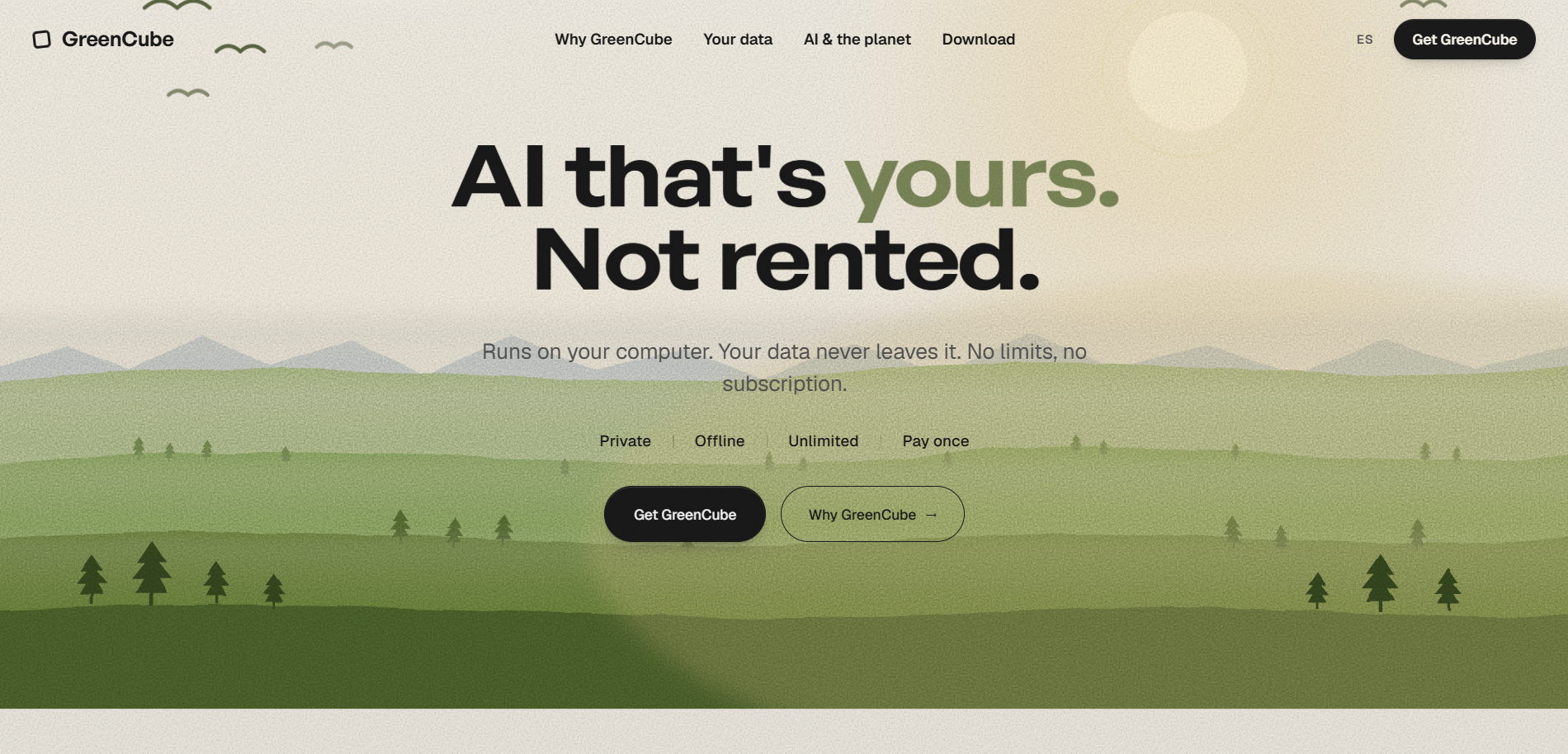
At setup you pick one of two local models to download once: a faster plain-text option, or a slower all-rounder that can also read images and PDFs for building study guides. How quickly it answers depends on your computer, our Seed, Sprout, Bloom, and Thrive tiers simply describe what different hardware handles well, not separate paid plans. GreenCube runs on Windows and Mac, requires a one-time payment, and suits teachers, homeschool parents, or anyone handling sensitive student documents who wants to try these prompts without a subscription or a cloud upload. Try a few outputs against your district's AI policy first, then grab GreenCube Lifetime if offline suits your workflow.
FAQ
What are some good prompt ideas for AI?
Strong prompts name the role, grade level, subject, and format you want, such as "act as a 5th grade teacher and write a 10-question quiz on photosynthesis with an answer key." Specific prompts that include an example or a length limit consistently outperform vague one-line requests.
What are some good AI prompts for Teacher's Day?
Try "write a short, warm appreciation message for a teacher who helped students build confidence in [subject]" or "draft a class card message thanking our teacher for [specific thing they did this year]." Keep the prompt specific to the teacher's actual impact rather than generic praise for a more genuine result.
What are the top 10 AI prompts?
There's no single official "top 10" list, but the most reused teacher prompts cover lesson plans, quizzes, rubrics, exit tickets, parent emails, substitute plans, feedback comments, vocabulary lists, differentiated tasks, and meeting agendas. The paste-ready bank in this article includes ten templates covering exactly these jobs.
What are some common AI prompts?
The most common classroom prompts ask for lesson summaries, quiz questions, feedback comments, and parent communication drafts, because these are the tasks that eat the most prep time. Teachers typically refine a first draft by adding grade level, tone, or length constraints rather than starting over.
Is it safe to use AI for student data and grading?
Avoid entering student names or identifying details into cloud AI tools your district hasn't approved. Guidance from UNESCO recommends data privacy protections and human review before classroom use, and FERPA remains the primary U.S. framework for what student data can be shared with outside tools.
Sources
- Guidance for generative AI in education and research | UNESCO
- Prompt Engineering as Pedagogical Interface (2026) | ACM proceedings
- Co-constructing adaptive lesson plans with GenAI — pre-service teachers study
- Arizona GenAI guidance for education (2025)