When Local Tools Beat Million Token LLM Context Windows

A context window is a large language model's token-limited working memory. It contains everything the model can see for a single request: the system prompt, the conversation history, any retrieved documents, and the output it generates. Once that limit fills up, the practical consequence kicks in — the model forgets or truncates the rest. Bigger windows buy you more room, but they also cost more money, add latency, and don't guarantee better answers.
TL;DR:
- Larger context windows increase costs and latency, as processing each prompt requires quadratic attention comparisons that grow significantly with size.
- Truncation and loss-in-the-middle effects mean longer windows may degrade accuracy, especially for information placed in the middle of very large prompts.
- Using retrieval, caching, and summarization techniques helps manage token limits effectively and improves both performance and accuracy across different tasks.
- Only certain applications like whole-report summarization or legal review benefit from ultra-large windows, while most chat and microtask scenarios favor smaller, curated prompts.
- Running models offline with local tools like GreenCube offers ownership and privacy advantages, with smaller, hardware-appropriate context sizes optimized for meaningful use.
Table of Contents
- How Context Windows Work: Tokens, Tokenization, and Self-Attention
- Why Models Have Maximum Context Lengths
- Context Window Sizes: From 2,048 Tokens to Over a Million
- Trade-offs, Failure Modes, and Where Long Context Breaks Down
- How to Work Within Context Limits: RAG, Caching, and Compaction
- When Large Context Windows Actually Pay Off
- How GreenCube Handles the Same Trade-offs Locally
- The Bottom Line on Context Window Size
- The Real Lesson Buried in the Context-Window Arms Race
- Why GreenCube Is Worth a Look for Private, Offline AI Work
- Sources
- FAQ
How Context Windows Work: Tokens, Tokenization, and Self-Attention
A token isn't a word. It's a chunk of text, sometimes a whole word, sometimes a fragment like "ing" or a punctuation mark. The sentence "Context windows are tricky" breaks into roughly five or six tokens depending on the tokenizer, while a technical word like "tokenization" might split into two or three pieces on its own. As a rough rule, 100 tokens equals about 75 words in English, though code and non-English text often compress worse.
Everything that enters a request counts against the window, and it adds up faster than people expect:
- The system prompt (instructions that set the model's behavior)
- The user's actual question or command
- The full conversation history, unless it's trimmed
- Any retrieved documents, chunks, or search results pasted into the prompt
- The model's own output, generated one token at a time
Self-attention is the mechanism that makes an LLM understand context in the first place. Every token compares itself against every other token in the window to figure out which ones matter for predicting the next word. That comparison happens for every pair of tokens, which means the math grows quadratically as the context window itself expands. A 1,000-token prompt requires roughly a million attention comparisons; a 10,000-token prompt requires close to 100 million. That single fact explains almost everything else in this article, including why "just make the window bigger" is not free.
Why Models Have Maximum Context Lengths
The ceiling on context length isn't arbitrary. It's the product of several stacked hardware and architecture constraints, and understanding which one is binding tells you whether a fix is coming from better software or a new GPU generation.
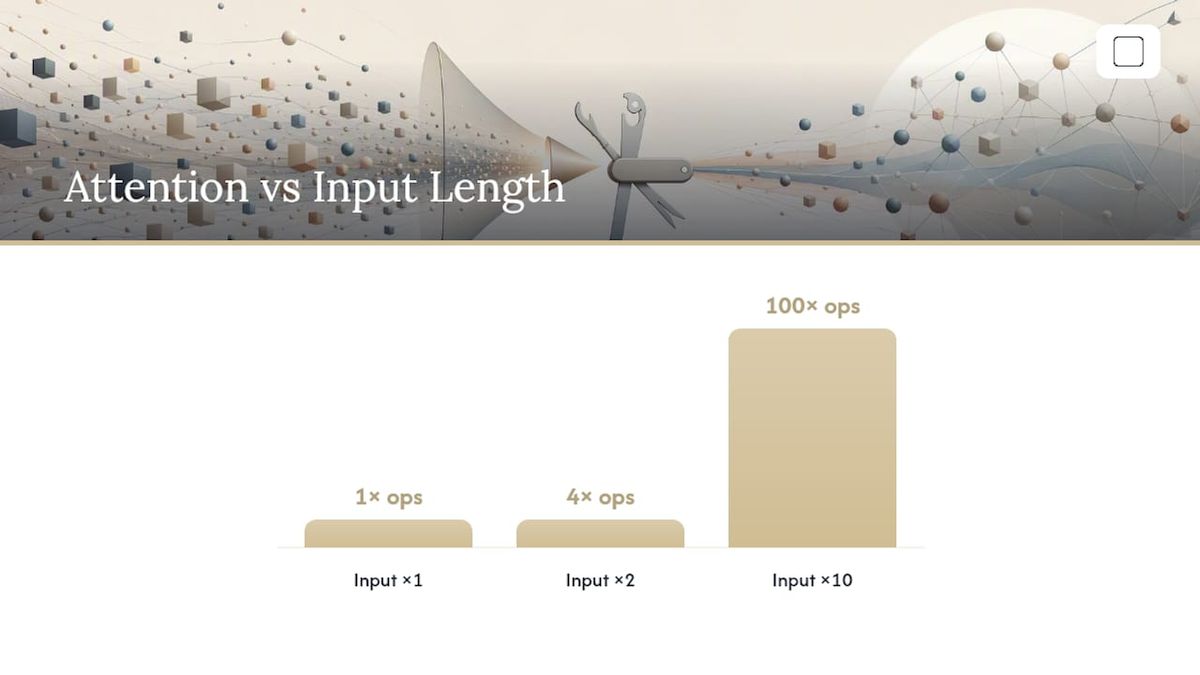
Quadratic scaling in self-attention is the first wall. Doubling input length roughly quadruples the compute needed for attention alone, so raw processing cost balloons long before you hit any hard limit on token count.
Attention compute doesn't scale gently. Every token attends to every other token, so a 10x increase in context length can mean a 100x increase in attention operations, not a 10x one.
The second constraint is the KV cache, the running memory of key and value vectors the model stores for every token it's already processed, so it doesn't have to recompute attention from scratch on each new token. That cache grows linearly with context length, and it has to live in GPU VRAM, which is finite and expensive. Long conversations or huge documents can push KV cache size into the tens of gigabytes.
Third, memory bandwidth between high-bandwidth memory (HBM) and the GPU's fast on-chip SRAM often bottlenecks inference speed more than raw compute does, since data has to keep moving back and forth. And fourth, models are trained on sequences of a specific length; pushing beyond that training length through positional-encoding tricks can technically work but often degrades quality in ways that only show up under real benchmarking, not spec sheets.
Context Window Sizes: From 2,048 Tokens to Over a Million
Context windows have grown dramatically in recent years, and the jump reshaped what "normal" usage even looks like.
- GPT-3 (2022): 2,048 tokens, enough for a few paragraphs of back-and-forth before the model lost the thread
- Early ChatGPT models: 4K to 8K tokens, roughly 6 to 12 pages of text
- Common modern default: 32K tokens, enough for a long report or a mid-sized codebase file
- Widely available "large" tier: 128K tokens, around 200 pages, enough for most technical manuals or full contracts
- Frontier claims: 1 million tokens and beyond, which Google's Gemini documentation describes as achievable, with the caveat that cost and latency both climb steeply at that scale
A rough conversion is about 750 words per 1,000 tokens, so a very large window holds tens of thousands of words, longer than most novels. A 1 million token window theoretically covers an entire codebase or a multi-hundred-page legal filing in one shot. Whether the model actually uses all of that reliably is a separate question, and it's the subject of the next section.
Trade-offs, Failure Modes, and Where Long Context Breaks Down
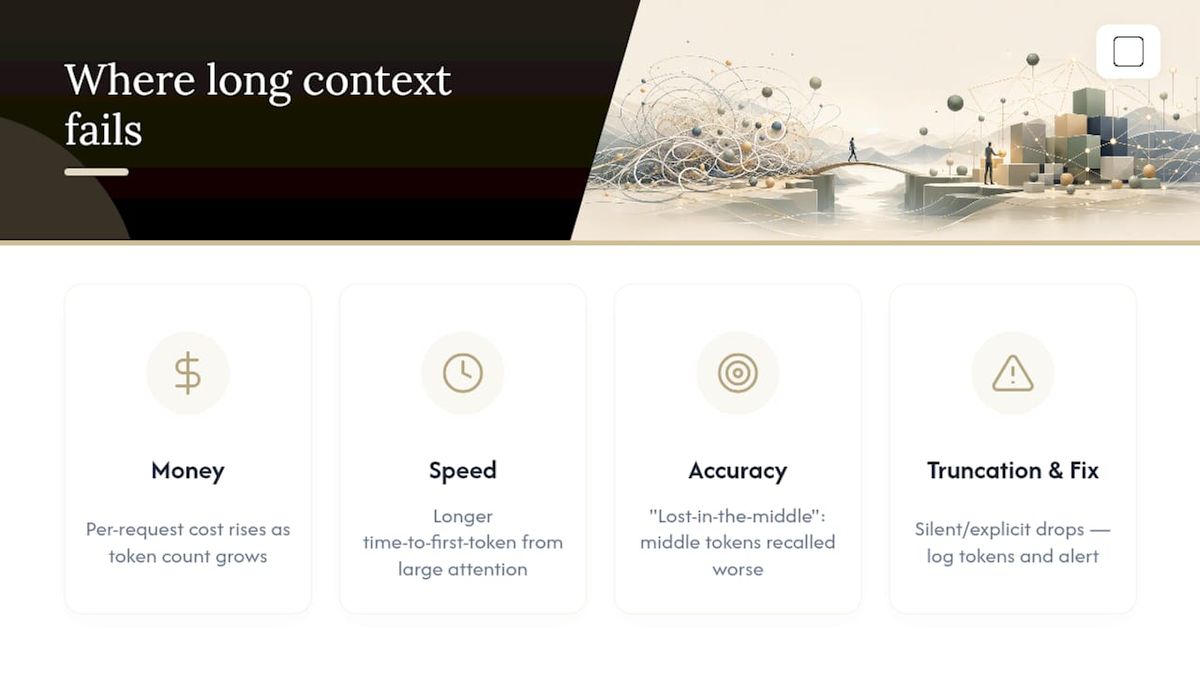
Bigger context windows don't scale for free, and the costs show up in three places: money, speed, and accuracy.
Cost and latency both grow with token count because the model has to process every token in the window on every call, even the ones it's not really using. A larger token prompt costs meaningfully more than a smaller one on a per-request basis, and it takes longer to return a first token because attention computation over that many positions simply takes more time.
Many long-context models show measurable accuracy drops once a prompt passes roughly a high token count, even when the model's advertised limit is far higher.
The accuracy problem has a name: lost-in-the-middle, sometimes called context rot. Research on how language models use long contexts found that models are noticeably better at recalling information placed at the very start or end of a prompt than information buried in the middle. Stuff a critical clause in the middle of a 50,000 token contract and ask the model about it, and the odds of a clean, accurate answer drop compared to the same clause on page one.
There's also a harder failure mode: silent or explicit truncation. When a request exceeds the window, some systems throw a "context window exceeded" error; others quietly drop the oldest messages without telling you. If your application depends on early conversation history, that second behavior can produce confidently wrong answers with no error at all. The fix isn't complicated, but it does mean building in real observability: log token counts per request, alert on anything approaching the ceiling, and run periodic accuracy checks at your actual target length rather than trusting the advertised maximum.
How to Work Within Context Limits: RAG, Caching, and Compaction
Treating the context window as a scarce resource, rather than a number to maximize, is the single biggest shift in how experienced teams build with LLMs. Here's a practical sequence for doing it.
- Map your token budget before writing a single prompt. Reserve space for the system prompt, expected conversation history, and the output you need back, then see what's left for actual content.
- Use retrieval instead of stuffing. Retrieval-augmented generation (RAG) pulls only the most relevant chunks from a larger document store into the prompt, instead of pasting the whole document in. This keeps the window lean and sidesteps the accuracy penalty of an overstuffed context.
- Cache repeated context. Semantic caching stores prior responses or partially processed context for queries that repeat often, cutting both cost and latency on high-frequency workloads.
- Compact long conversations instead of keeping every message. Summarize older turns into a compressed note rather than carrying the full transcript forward. Anthropic's guidance on context engineering recommends this kind of high-fidelity compaction alongside structured persistent notes and sub-agent architectures that handle specific subtasks without dragging the entire history along.
- Decide the trade-off deliberately. If your task genuinely requires the model to reason across an entire document at once, a bigger window earns its cost. If it's a repeated, narrow question against a large knowledge base, retrieval is almost always cheaper and often more accurate.
Pro Tip: Start with the smallest context window your use case can tolerate, then expand only when a benchmark proves you need more. It's far easier to catch a cost problem early than to untangle a bloated context pipeline later.
Well-structured source data also makes retrieval far more effective. Tools like the structured data audit from BabyLoveGrowth help confirm your documents are formatted in a way that RAG pipelines can actually parse cleanly, which matters more than most teams realize.
When Large Context Windows Actually Pay Off
Large windows earn their cost in a specific set of jobs, and cause pointless spending in most others.
They're genuinely valuable for whole-book or whole-report summarization, where the model needs to hold an entire narrative arc in view at once. Large codebase analysis is another strong case, especially when a bug spans multiple files and the model needs cross-file context to spot it. Legal and contract review benefits too, since clauses often reference each other across dozens of pages. Multimodal document Q&A, where a model needs to reason over scanned pages, tables, and images together, also justifies the expense.
They're a poor fit for low-latency chat interfaces, where users expect near-instant replies and don't want to pay the latency tax of a huge prompt. Microtasks and high-frequency repeated queries are also bad candidates. If you're asking the same category of question against a stable knowledge base thousands of times a day, RAG will almost always beat a giant context window on both cost and consistency.
How GreenCube Handles the Same Trade-offs Locally
Running models locally makes context-window trade-offs concrete instead of abstract. At setup, GreenCube requires downloading one of two local models: the smaller model (roughly 2.6 GB, fast, text only) or the bigger model (roughly 4.2GB, reads images, needs 8GB RAM as a minimum, and can run slowly on older hardware at that floor). Neither is chasing a million-token window, because a laptop's memory bandwidth is nowhere near a data center GPU's. Sign-in through Google or Microsoft verifies the one-time license only; chat and document processing happen fully offline. That's the honest trade: less raw scale than a cloud frontier model, in exchange for ownership and privacy with no ongoing subscription.
The Bottom Line on Context Window Size
Match the window to the task, not the headline number. Map your token budget first, benchmark accuracy at the length you'll actually use, and lean on retrieval or compaction once volume grows. For deeper background on model sizing trade-offs, see how local model choices affect performance on consumer hardware.
The Real Lesson Buried in the Context-Window Arms Race
The marketing around million-token context windows has trained people to think bigger is strictly better. It isn't. The lost-in-the-middle research shows accuracy can degrade well before a model hits its advertised ceiling, so a 1M token window often produces worse results on a targeted question than a well-curated 20K token prompt built with retrieval.
The conventional advice, "just use the biggest model with the biggest window," skips the actual engineering work: deciding what belongs in the window at all. Teams that treat context as a curated resource, using compaction, retrieval, and caching, consistently outperform teams that just paste everything in and hope attention sorts it out. That's true whether you're running a frontier cloud model or a compact local one.
What should change in how you approach this? Stop asking "how big is the window" and start asking "what's the smallest window that gets this job done reliably." Benchmark at your real usage length, not the vendor's demo length. The gap between those two numbers is where most production failures live.
— GreenCube
Why GreenCube Is Worth a Look for Private, Offline AI Work
If you've read this far, you already understand why context isn't free, whether it's running in the cloud or on your own machine. GreenCube gives you a way to own that trade-off directly: it's a private AI assistant that runs entirely on your computer, with no subscription and no recurring bill.
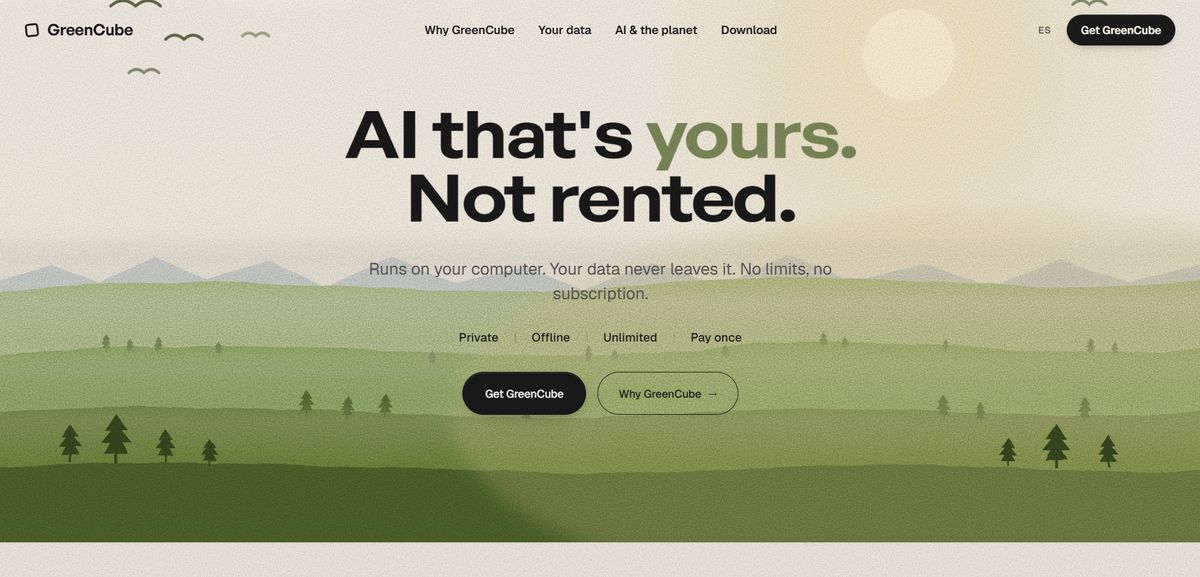
Setup means picking one of two local models and downloading it once: the smaller model (about 2.6 GB, fast, text only) or the bigger model (about 4.2GB, reads images and builds study guides, needs at least 8GB RAM, and can run slowly on that minimum). Chats and document analysis happen fully offline once installed; signing in with Google or Microsoft only verifies your license, and checkout runs through Stripe. It's built for people handling sensitive documents, students who need offline study tools, and writers who want a local drafting assistant without sending files anywhere. The honest pitch isn't that it out-thinks a cloud frontier model. It's that you own it outright for €9.99 / $9.99, one time, with unlimited use and no cap on how many documents you process. Get GreenCube here and pick the model that matches your hardware and your work.
Sources
- LLM context windows: what they are & how they work — Redis
- Long context | Gemini API | Google AI for Developers
- Lost in the Middle — TACL (MIT Press)
- GPT-3 — Wikipedia
- Effective context engineering for AI agents — Anthropic
FAQ
What Does a 200K Context Window Mean?
A large token context window means the model can hold a substantial number of words of combined input and output in a single request, covering the prompt, conversation history, retrieved documents, and the response together.
Which LLM Has the Highest Context Window?
Context window sizes shift often as providers update their models, but Google's Gemini family has published documentation describing context windows of 1 million tokens or more, with cost and latency rising accordingly at that scale.
What Does a 1 Million Token Context Window Mean?
A 1 million token window can theoretically hold an entire codebase or a several-hundred-page document in one request, though actual accuracy depends on the model and context placement, actual accuracy at that length depends on the model's training and often shows measurable degradation on information placed in the middle of the context.
How Big Is a 32K Context Window?
A 32,000 token context window holds enough for a long report or a mid-sized code file, and it's also the rough point where many long-context models start showing accuracy drops even if their advertised limit is much higher.
Do Local AI Apps Like GreenCube Have Smaller Context Windows Than Cloud Models?
Yes. Local apps run on consumer hardware with limited VRAM and memory bandwidth, so GreenCube's two local models (the smaller model and the bigger model) are sized for that reality rather than chasing the extreme windows cloud providers can offer with data center GPUs.
Recommended
- Run LLMs Locally: 2–5GB Models for Privacy-First Users
- Install Local AI: Get a Working Offline LLM on Your PC
- Offline AI Setup on Windows: Private, Local, and Easy
- How Local AI Works on Your Laptop: Run Models with 2–5GB Free
Your own AI, on your own PC
GreenCube runs on your computer: no usage limits, no subscription, works without internet. €9.99 (US$9.99), paid once.
Get GreenCube