Best AI for Lawyers: Practical Picks for Every Practice

For most legal teams, the best AI tools right now are Thomson Reuters CoCounsel, Lexis+ (Protégé), Harvey, Microsoft Copilot for Microsoft 365, and ChatGPT Enterprise — each suited to a different workflow. When offline operation or strict data confidentiality is the priority, GreenCube is the practical choice: a local, one-time-purchase desktop AI that never sends your documents to a cloud server.
Here is the shortlist at a glance:
- Thomson Reuters CoCounsel — Legal research and drafting grounded in Westlaw and Practical Law; best for large firms that need citation traceability and enterprise governance.
- Lexis+ (Protégé) — Extractive, generative, and agentic AI workflows built on LexisNexis content; best for teams that run structured research pipelines.
- Harvey — Enterprise-grade legal AI with secure knowledge vaults and contract intelligence; best for large in-house and BigLaw teams.
- Microsoft Copilot for Microsoft 365 — In-product AI across Word, Outlook, and Teams; best for firms already standardized on Microsoft 365.
- ChatGPT Enterprise — Broad reasoning and drafting at scale; best for teams that need a general-purpose model with enterprise privacy controls.
- GreenCube — Local, offline, one-time price (€9.99 / $9.99); best when client confidentiality or data-residency rules make cloud tools a non-starter.
The American Bar Association confirms that mainstream models like Claude, Gemini, and Copilot sit alongside purpose-built legal platforms in the mix lawyers actually use today.
Key Takeaways
The best AI for lawyers depends on one question above all others: does your workflow require citation traceability and legal-database grounding, or does it require that documents never leave your machine?
| Point | Details |
|---|---|
| Grounded tools reduce citation risk | CoCounsel and Lexis+ Protégé connect to Westlaw and LexisNexis, lowering hallucination risk on research tasks. |
| General LLMs need verification | ChatGPT, Claude, and Gemini are useful for drafting but require attorney verification of every citation before filing. |
| Deployment type shapes privacy | Cloud tools process data on vendor servers; local tools like GreenCube keep all AI processing on your own machine. |
| Match tool to task | Research needs grounded platforms; contract drafting suits Spellbook or Harvey; offline analysis suits GreenCube. |
| GreenCube for offline privacy | One-time €9.99 / $9.99 purchase; the bigger model reads PDFs and images locally; no cloud, no subscription. |
Table of Contents
- Which AI tools for lawyers actually compare well side by side?
- How do you choose the right AI for your practice?
- Which tool fits which legal task?
- What security and ethics checks should lawyers run before adopting AI?
- What are the deployment options, and how do integrations work?
- When does a local, offline AI make sense for lawyers?
- The honest case for slowing down on AI adoption
- GreenCube: private, offline AI for sensitive legal documents
- Sources
- FAQ
Which AI tools for lawyers actually compare well side by side?
The table below covers the tools lawyers most commonly evaluate, scored on the dimensions that matter most in practice.
| Tool | Best for | Pricing model | Data handling | Citation grounding | Integrations | Scale |
|---|---|---|---|---|---|---|
| GreenCube | Offline/private document analysis | One-time €9.99 / $9.99 | Fully local; no cloud | None (general LLM) | Windows desktop only | Solo / small firm |
| CoCounsel | Research + drafting (Westlaw-grounded) | Enterprise subscription | Cloud (enterprise controls) | Westlaw, Practical Law | Westlaw, Word, email | Enterprise |
| Lexis+ (Protégé) | Structured research workflows | Enterprise subscription | Cloud (enterprise controls) | LexisNexis content | LexisNexis, practice mgmt | Enterprise |
| Harvey | Contract intelligence + agentic tasks | Enterprise subscription | Cloud (secure vaults) | Proprietary + partner DBs | Custom enterprise stack | Enterprise |
| Microsoft Copilot | In-app drafting (M365 ecosystem) | Per-seat (M365 add-on) | Microsoft cloud | None (general LLM) | Word, Outlook, Teams | Small firm to enterprise |
| ChatGPT Enterprise | General drafting + reasoning | Per-seat subscription | Cloud (no training on data) | None (general LLM) | API, browser | Any |
| Claude AI | Reasoning-heavy drafting | Free / Pro / API tiers | Cloud (Anthropic) | None (general LLM) | API, browser | Any |
| Google Gemini | Google-ecosystem drafting | Free / Workspace add-on | Google cloud | None (general LLM) | Google Workspace | Any |
| Spellbook | Contract clause drafting in Word | Subscription | Cloud | None (general LLM) | Microsoft Word | Small to mid-size |
| Ironclad | Contract lifecycle management | Enterprise subscription | Cloud | None (general LLM) | Salesforce, Slack, DocuSign | Mid-size to enterprise |
| Clio | Practice management + basic AI | Subscription | Cloud | None | Clio ecosystem | Solo / small firm |
| MyCase | Practice management + AI admin | Subscription | Cloud | None | MyCase ecosystem | Solo / small firm |
| Luminance | Document review + due diligence | Enterprise subscription | Cloud | Proprietary legal training | DMS integrations | Mid-size to enterprise |
| Everlaw | E-discovery and litigation review | Subscription | Cloud | None | Relativity, cloud storage | Mid-size to enterprise |
| Lex Machina | Litigation analytics | Subscription | Cloud | LexisNexis data | LexisNexis | Any |
| Darrow | Plaintiff intake + case origination | Subscription | Cloud | None | CRM, intake tools | Plaintiff firms |
| NexLaw | Legal research + drafting | Subscription | Cloud | Legal databases | Browser-based | Solo / small firm |
| Paxton | Legal research + drafting | Subscription | Cloud | Legal databases | Browser-based | Solo / small firm |
| Eve | Contract review | Subscription | Cloud | None | Browser-based | Small to mid-size |
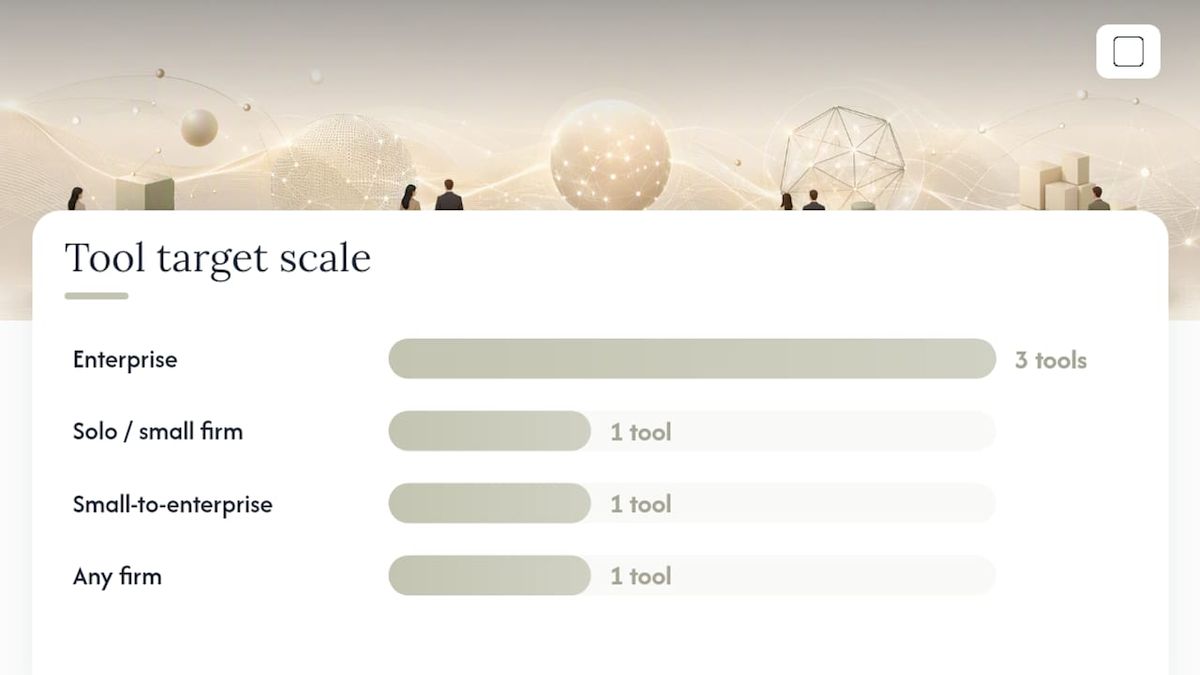
Pricing signals: Purpose-built enterprise platforms (CoCounsel, Lexis+ Protégé, Harvey, Luminance) are typically sold as annual enterprise licenses with custom pricing. Mid-tier tools (Spellbook, Everlaw, NexLaw, Paxton) publish per-seat subscription rates. Practice-management platforms (Clio, MyCase) bundle AI features into existing plans. GreenCube is the only option with a one-time purchase and no recurring fee.
Trial and demo availability: CoCounsel, Lexis+ Protégé, Harvey, and Luminance all offer vendor-led demos. Clio, MyCase, Spellbook, and NexLaw offer self-serve trials. GreenCube offers a 15-day refund policy in lieu of a trial.
Pro Tip: Before any vendor demo, ask the sales team to run a live citation trace on a real case cite from your jurisdiction. If they can't show the source document in the interface, the grounding claim is marketing, not a feature.
Market roundups confirm wide variation in vendor approaches — workflow-first, research-first, and contract-first platforms each price and integrate differently, so comparing them on a single axis (price or feature count) misses the point.
How do you choose the right AI for your practice?
The right answer depends on practice area and firm size. A plaintiff litigation team and a global M&A practice have almost nothing in common in their AI requirements.
The five criteria that actually matter
- Citation traceability. Can the tool show you the primary source behind every claim it makes? Supervised, grounded models that connect to primary law databases carry materially lower hallucination risk than general LLMs used without grounding. For research tasks, this is non-negotiable.
- Data handling and privacy. Where do your documents go? Cloud tools process data on vendor servers. Enterprise SaaS tools may offer data-residency options. Local/offline tools like GreenCube process everything on your own machine. Know your client's data-residency requirements before you sign anything.
- Integrations. Does the tool connect to the systems you already use — Westlaw, LexisNexis, your DMS, your practice-management platform? A tool that lives in a browser tab separate from your workflow adds friction rather than removing it.
- AI capability type. Extractive AI pulls facts from documents. Generative AI drafts new text. Agentic AI chains tasks together autonomously. Most legal workflows need all three at different stages; check which capability a vendor actually delivers versus which it markets.
- Cost model and deployment scale. Enterprise annual licenses make sense for 50-seat teams. A solo practitioner paying enterprise rates for features they will never use is a budget problem, not a technology problem.
Red flags to watch for
- No audit log or output history for compliance review
- Vague or absent data-use terms (does the vendor train on your inputs?)
- Citation claims with no traceable source document in the UI
- No jurisdictional grounding for the practice areas you actually work in
- SOC 2 or ISO claims without a current certificate available on request
Demo questions worth copying
- "Show me a citation trace from output to primary source, live, in your interface."
- "What happens to my documents after I upload them? Where are they stored, and for how long?"
- "What is your update cadence for primary law databases?"
- "Can you provide your current SOC 2 Type II report?"
- "What does your data-processing agreement look like for enterprise customers?"
Solo practitioners should prioritize ease of setup, per-seat pricing, and tools that work without IT support. Small firms (2–20 attorneys) need integrations with practice-management platforms and clear data-use terms. Enterprise teams need governance controls, SSO/SAML, audit logs, and dedicated onboarding.
Which tool fits which legal task?
Different tools dominate different parts of a legal workflow. Matching the right tool to the right task saves more time than picking a single "best" platform.
| Task | Recommended tools | What good looks like |
|---|---|---|
| Legal research | CoCounsel, Lexis+ Protégé, Lex Machina, Paxton, NexLaw | Cited output traceable to primary source; jurisdiction-specific results |
| Drafting pleadings / briefs | CoCounsel, ChatGPT Enterprise, Claude AI, Harvey | First draft in minutes; attorney reviews and edits before filing |
| Contract drafting + negotiation | Spellbook, Harvey, Ironclad, Eve | Clause-level suggestions inside Word or CLM; redline tracking |
| Contract lifecycle management | Ironclad, Harvey | Automated routing, approval workflows, and obligation tracking |
| Document review / due diligence | Luminance, Everlaw, Harvey | Flagged risk clauses; structured issue list for attorney review |
| E-discovery | Everlaw | Predictive coding, review batching, and production management |
| Litigation analytics | Lex Machina, Darrow | Judge and opposing-counsel tendencies; case-origination signals |
| Practice management + admin | Clio, MyCase | Intake automation, billing, and calendar without a separate tool |
| Offline / private document analysis | GreenCube | PDF and (with the bigger model) image ingestion, fully local |
A few concrete workflow examples:
- A transactional associate using Spellbook can pull a clause suggestion directly inside Microsoft Word while negotiating an NDA, without switching applications.
- A litigator using Lex Machina can surface a judge's historical ruling patterns on summary judgment motions before drafting the brief.
- A solo practitioner handling a sensitive matter can load a client contract into GreenCube and run a clause-by-clause analysis without the document ever leaving their laptop.
- An in-house team using Ironclad can route a vendor agreement through an automated approval chain and track every obligation in a single dashboard.
Structured, jurisdiction-aware drafting workflows can reduce review cycles by surfacing jurisdictional risk during drafting rather than after, as guided drafting platforms have demonstrated.
What security and ethics checks should lawyers run before adopting AI?
Professional responsibility rules require competence with technology. That means understanding what an AI tool does with your data, not just what it produces.
Risk-mitigation checklist
- Data segregation: Confirm client data is not commingled with other customers' data on shared infrastructure.
- No-training assurance: Get written confirmation that the vendor does not use your inputs to train or fine-tune models.
- Audit logs: Verify the tool generates a retrievable log of every query and output for malpractice and compliance review.
- SSO/SAML and access controls: Enterprise deployments should enforce single sign-on and role-based access.
- BAAs and data-residency terms: For health-adjacent matters or EU-based clients, confirm whether a Business Associate Agreement or GDPR-compliant data-processing agreement is available.
- AI as sole fact-checker: Never submit AI-generated citations without verifying each against the primary source. Courts have sanctioned attorneys for filing hallucinated citations.
Vendor verification checklist
- Current SOC 2 Type II or ISO 27001 certificate (not just a claim)
- Documented update cadence for primary law databases
- Citation traceability demonstrated in a live environment
- Clear contractual language on data retention and deletion
- Named point of contact for security incidents
Grounded, supervised AI systems that constrain outputs to verifiable legal sources reduce hallucination risk compared with general LLMs used without grounding. That distinction matters most in research and citation-heavy tasks.
Pro Tip: Request a vendor's security whitepaper and ask them to run a live citation trace during the demo. If either request produces hesitation, treat that as a signal about the product's actual maturity.
For a deeper look at GDPR compliance considerations for AI tools, the regulatory obligations extend beyond data storage to processing agreements and cross-border transfer rules.
What are the deployment options, and how do integrations work?
Legal AI tools deploy in three main configurations, each with a different risk and capability profile.
Cloud SaaS

Most tools in this comparison are cloud-based. Advantages include automatic updates, no local infrastructure, and easy multi-user access. The trade-off is that your documents leave your machine and are processed on vendor servers. For most commercial matters this is acceptable with proper data-use terms in place. For highly sensitive matters, it may not be.
Enterprise SaaS with governance controls
CoCounsel, Lexis+ Protégé, Harvey, and Luminance sit in this tier. They add data-residency options, SSO/SAML, audit logs, and dedicated security review processes on top of the cloud base. Onboarding typically involves an IT security review, a data-processing agreement, and a structured rollout with vendor support. Expect weeks, not days, to go live at enterprise scale.
Local / offline
GreenCube and similar local AI deployments run inference entirely on the user's own machine. No document leaves the device during AI processing. The capability ceiling is lower than frontier cloud models, but the privacy guarantee is absolute for the AI processing itself. Setup involves a one-time model download (approximately 2GB or 4.2GB depending on the model chosen).
Common integrations to look for
- Legal research databases: Westlaw (CoCounsel), LexisNexis (Protégé, Lex Machina)
- Document management: iManage, NetDocuments, SharePoint
- Practice management: Clio, MyCase, Filevine
- Microsoft 365: Word, Outlook, Teams (Copilot, Spellbook)
- Contract lifecycle management: Salesforce, DocuSign, Slack (Ironclad)
- E-discovery platforms: Relativity (Everlaw)
Firms are increasingly pairing general reasoning models with proprietary legal databases to get broad reasoning and jurisdiction-specific accuracy in the same workflow. Lexis+ Protégé's product architecture is a direct example of this hybrid approach.
When does a local, offline AI make sense for lawyers?
Most lawyers should use a cloud-based, legally grounded platform for research and drafting. But there is a specific set of circumstances where local/offline AI is the right call.
Situations that favor offline AI:
- Matters under strict client confidentiality mandates that prohibit cloud processing
- Jurisdictions or client contracts with data-residency requirements that cloud tools cannot satisfy
- Trust-account or health-adjacent matters where regulatory risk of cloud exposure is too high
- Lawyers who need to work on sensitive documents without any internet connection
In those situations, GreenCube is a practical option. It runs entirely on Windows 10/11, processes documents locally using llama.cpp, and never sends chat data or uploaded files to any server. Sign-in via Google or Microsoft is required once to verify the license; after that, the tool works offline indefinitely.
GreenCube capability snapshot
- the smaller model (Gemma 4 E2B, ~2GB download): fast, text-only, cannot read images or PDFs visually.
- the bigger model (Gemma 4 E4B, ~4.2GB download): reads PDFs and images, builds structured documents; requires at least 8GB RAM and runs slower on older hardware.
- Price: €9.99 / $9.99, one-time, tax-inclusive, no subscription.
- Refund: 15-day refund policy.
- Platform: Windows 10/11 only; Mac is in development.
GreenCube is not a replacement for CoCounsel or Lexis+ Protégé on research tasks. It has no connection to primary law databases and does not provide citation traceability. Its value is privacy and ownership: your documents stay on your machine, you pay once, and there are no usage limits or monthly fees.
For a practical guide to running AI locally without an internet connection, the setup process is straightforward for non-technical users on a modern Windows laptop.

The honest case for slowing down on AI adoption
The legal AI market is moving fast, and the pressure to adopt something is real. But the tools that get lawyers into trouble are not the ones they chose carefully. They are the ones adopted quickly, without a security review, without understanding the data-use terms, and without a verification workflow for AI outputs.
The Thomson Reuters CoCounsel framing is correct: AI is a productivity multiplier, not a replacement for legal judgment. The attorney remains responsible for every word that goes out under their name. That responsibility does not transfer to the vendor when a citation turns out to be hallucinated.
The tools worth adopting are the ones where you can answer three questions before signing: Where does my data go? Can I verify every output against a primary source? What happens when the tool is wrong? If a vendor cannot answer all three clearly, the tool is not ready for client work, regardless of how good the demo looked.
GreenCube: private, offline AI for sensitive legal documents
Cloud legal AI tools are the right choice for most research and drafting work. But when a matter requires that documents never leave your machine, the subscription model and cloud processing of those platforms become a liability rather than a feature.

GreenCube is a one-time-purchase desktop AI that runs entirely on your Windows PC. No cloud, no subscription, no usage limits. Load a contract, a brief, or a set of case notes, and the AI processes everything locally. The bigger model reads PDFs and images; the smaller model handles plain text. Either way, your documents stay on your machine.
What you get: local inference, PDF and image reading (the bigger model), unlimited usage, and a 15-day refund window. What to know before buying: setup requires a one-time model download (~2GB or ~4.2GB), sign-in via Google or Microsoft is required to verify the license, and the bigger model needs at least 8GB RAM. GreenCube does not connect to legal databases and does not provide citation traceability.
Price: available as a one-time purchase at an affordable, tax-inclusive cost. Get GreenCube and own it forever.
Sources
- AI in legal practice explained (Bloomberg Law Pro)
- AI Tools for Legal Work: Claude, Gemini, Copilot, and More (American Bar Association)
- Harvey | AI software for legal and professional services
This article is general information, not a substitute for advice from a qualified lawyer. Consult a qualified legal professional about your own circumstances before acting on anything here.
FAQ
Is Claude or ChatGPT better for lawyers?
Neither has a clear edge for legal work specifically. Both are general-purpose models without built-in legal-database grounding, so citation accuracy depends entirely on the attorney verifying outputs. Claude tends to perform well on long-document reasoning; ChatGPT Enterprise adds privacy controls that make it more suitable for firm use than the consumer version.
Which AI are law firms actually using?
Large firms most commonly deploy Thomson Reuters CoCounsel or Lexis+ Protégé for research, Harvey for contract intelligence, and Microsoft Copilot for day-to-day drafting inside Microsoft 365. Smaller firms and solo practitioners use a wider mix, including Clio, MyCase, NexLaw, and general models like ChatGPT.
Is there a ChatGPT built specifically for legal work?
Not from OpenAI directly. ChatGPT Enterprise offers stronger privacy controls and no training on customer data, but it has no built-in legal-database grounding. Purpose-built legal platforms like CoCounsel and Lexis+ Protégé are the closest equivalent to a "legal ChatGPT" because they ground outputs in verifiable primary sources.
Which AI is best when client confidentiality rules out cloud tools?
GreenCube is the practical option for offline, private document analysis. It runs entirely on your Windows machine, processes PDFs and images locally (the bigger model), and costs €9.99 / $9.99 as a one-time purchase. It does not connect to legal databases, so it suits document review and drafting assistance rather than primary legal research.
Recommended
- Best Microsoft Copilot Alternatives for Privacy in 2026
- Best LM Studio Alternatives for Local AI in 2026
- Best Private AI Assistant in 2026: Local and Offline
- GDPR Compliant AI: Your 2026 Compliance Roadmap
Your own AI, on your own PC
GreenCube runs on your computer: no usage limits, no subscription, works without internet. €9.99, paid once.
Get GreenCube