Offline AI Security: A Practical Hardening Guide
Yes, offline AI can be secure for sensitive data — but only when hardware-backed boot integrity, a default-deny egress policy, and a formal data-lifecycle workflow are all in place simultaneously. Miss any one of those three, and "offline" becomes a label rather than a guarantee.
The single most important thing to verify first: confirm UEFI Secure Boot is active, TPM2 PCR sealing is configured, and your OS enforces a deny-all outbound rule at the nftables level before any model ever touches real data. The sections below walk through the full threat model, architecture patterns, lifecycle controls, compliance mapping, and a deployable checklist — in that order.
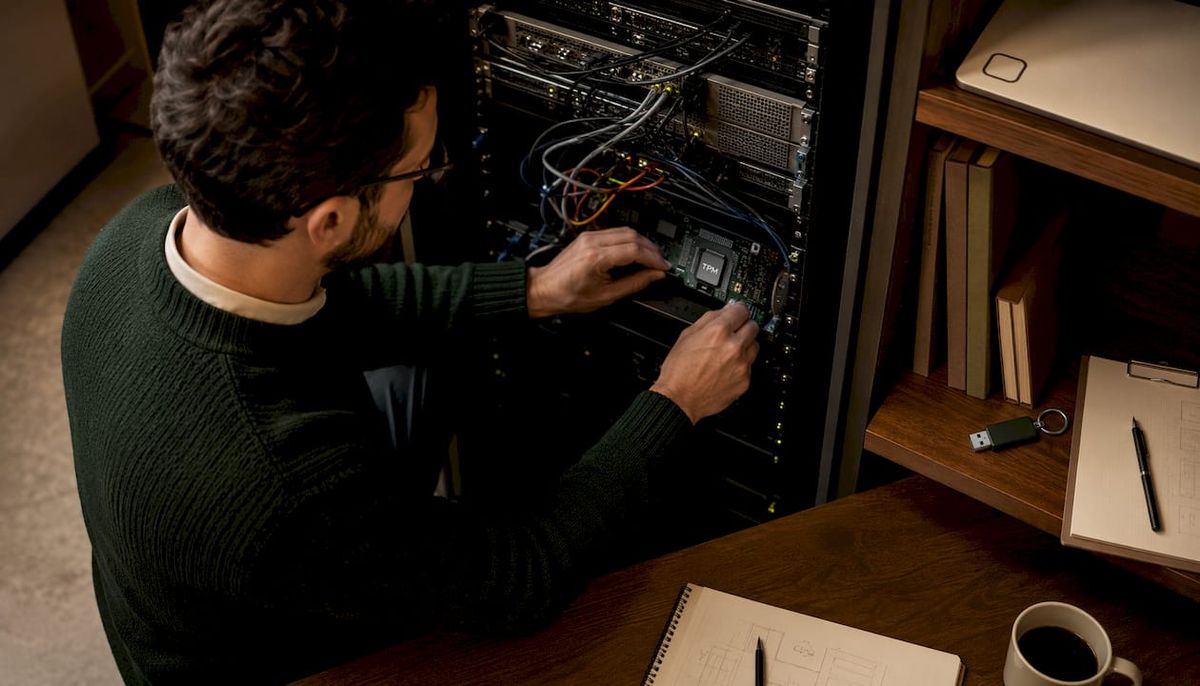
Table of Contents
- What "offline" actually means and the threats that remain
- How to build an offline-first architecture with hardware-backed integrity
- Data handling, model provenance, and lifecycle controls
- Operational policies and physical security controls you cannot skip
- Model-specific threats and how to test for them offline
- Mapping offline AI controls to U.S. compliance frameworks
- Practical constraints, indicative costs, and a realistic deployment timeline
- When you want an easy, trustworthy offline AI without building the stack yourself
- Copyable deployment checklist for secure offline AI
- Key Takeaways
- The operational pitfall most teams learn the hard way
- GreenCube: private offline AI without building the stack
- Authoritative sources and further reading
- FAQ
What "offline" actually means and the threats that remain
"Offline" and "air-gapped" are not synonyms in practice. A true air-gapped machine has no network interfaces active at the OS or firmware level: Ethernet physically unplugged, Wi-Fi disabled in BIOS, cellular radio absent or disabled. An "offline" machine that still has a live NIC with a default-deny firewall rule is a different security posture entirely — one software misconfiguration away from egress.
The threat vectors that survive air-gapping:
- Insider misuse. A credentialed operator can exfiltrate data on a USB drive, photograph a screen, or print sensitive outputs. Technical controls alone cannot close this.
- Removable media. USB drives are the primary data channel into and out of an air-gapped system. A contaminated drive can carry malware, poisoned model weights, or exfiltration payloads.
- Supply-chain compromise. A model downloaded from an untrusted source, or a dependency bundled with a backdoor, enters the system before any runtime control can catch it.
- Firmware and BIOS tampering. An attacker with physical access can flash a malicious UEFI image that survives OS reinstalls.
- Compromised peripherals. Keyboards, mice, and USB hubs with embedded microcontrollers have been used as attack vectors in high-security environments.
- Human error. Connecting the machine "just once" for a patch, reusing an unclean USB, or leaving printed outputs unattended.
That last point deserves emphasis. Air-gapped systems are considered compromised the moment they touch the internet, even briefly. Treat any such connection as a full re-provisioning event, not a recoverable incident.
Common mistakes that invalidate offline guarantees: hybrid cloud fallbacks that permit egress for telemetry, unmonitored hardcopy outputs left in shared spaces, and reusing USB media across security boundaries without wiping.
How to build an offline-first architecture with hardware-backed integrity
The architecture goal is a system where every layer — from firmware to model runtime — is cryptographically attested before sensitive data enters.
Hardware-backed boot integrity
UEFI Secure Boot with a custom MOK (Machine Owner Key) ensures only signed bootloaders and kernels load. TPM2 PCR sealing extends this: PCR registers 0, 2, 4, and 7 capture firmware, driver, bootloader, and Secure Boot policy measurements. Seal the disk-encryption key to those PCR values so the key is released only when the boot chain is unmodified. Any firmware tampering breaks the seal and the system refuses to decrypt.
Modern air-gapped OS stacks built on Fedora Atomic/Silverblue patterns implement this with a sealed runtime, a model quarantine pipeline, and TPM2-based attestation gating — the model is not promoted to "trusted" until attestation passes.
Egress controls
Default-deny nftables rules with an explicit allowlist for zero destinations is the baseline. An airlock proxy pattern adds a controlled, audited chokepoint: any process that attempts outbound traffic hits the proxy, which logs and drops by default. Tool-firewall patterns restrict which binaries can open sockets at all.
Architecture trade-offs
| Layer | Highest-assurance approach | Operational cost |
|---|---|---|
| Boot integrity | UEFI Secure Boot + TPM2 PCR sealing | Requires custom MOK enrollment; complicates hardware replacement |
| OS platform | Immutable/atomic OS (Fedora Atomic style) | Updates require signed bundle delivery; no live patching |
| Model runtime | Sealed quarantine pipeline with attestation gate | Seven-stage verification adds hours to model onboarding |
| Egress | Default-deny nftables + airlock proxy | Any legitimate egress requires explicit allowlist change and audit entry |
| Update delivery | Signed bundles via controlled USB workflow | Operational overhead ~30 minutes per update cycle |
The supply-chain verification step is where most teams underestimate complexity. Every dependency in the model's runtime environment needs a verified provenance chain, not just the model weights themselves.
Data handling, model provenance, and lifecycle controls
Keeping data protected across the full lifecycle requires formal stages, not ad hoc practices.
Ingest: Encrypt all input data on the connected host before it moves. Use 4096-bit GPG keys. Transfer as .gpg files on a sealed USB drive. The private key never leaves the air-gapped host.
Model quarantine: Before any model is used on sensitive data, run a seven-stage quarantine pipeline: source policy check, format gate, integrity check (hash pinning against a known-good manifest), provenance verification (cosign or equivalent), static scan, behavioral test, and diffusion scan. A model that fails any stage is not promoted.
Verification before transfer: For open-source model releases, verify the SHA256 checksum and cosign signature on the connected machine before the USB is sealed. Bundle all dependencies for offline install so the air-gapped host never needs to resolve a package at runtime.
Local use: Model inference runs entirely on the air-gapped host. No telemetry, no callback URLs, no update checks.
Output encryption: Re-encrypt outputs with GPG before they leave the air-gapped host. Outputs travel as ciphertext, not plaintext.
Secure disposal: Wipe or physically destroy USB media after each transfer cycle if policy requires. Maintain a destruction log. For long-term archival, encrypt with a separately managed key and document the key-rotation schedule.
Key management: Rotate GPG keys every 1–2 years. Keep the private key on the air-gapped host only. Store offline backups of the key in a physically secured location with documented chain of custody. TPM2-sealed keys add a hardware binding that survives key-file theft but not hardware replacement, so document the re-sealing procedure.
Authenticated updates without network access: Build signed update bundles on a vetted connected machine, verify signatures on that machine, transfer via the sealed USB workflow, and verify again on the air-gapped host before applying. Never apply an update bundle whose signature you have not checked on both ends of the transfer.
Operational policies and physical security controls you cannot skip
Technical controls are necessary but not sufficient. Physical environment vulnerabilities — unattended devices, printed outputs, improperly disposed documents — routinely negate the benefits of offline operation in real deployments.
Access policies: Role-based access with the minimum privilege needed for each role. A two-person rule for any sensitive transfer: one operator initiates, a second verifies the chain-of-custody log before the USB is unsealed. Sessions auto-lock after a defined idle period. All session activity is logged locally with tamper-evident signatures.
Removable media workflow: Encrypt on the connected machine, transport via a physically sealed courier process, decrypt only on the air-gapped host, re-encrypt outputs before the return trip. The USB drive itself should be dedicated to this workflow and never used on any other machine.
Audit evidence: Signed transfer logs with content hashes (never plaintext content). Tamper seals on enclosures, documented at each transfer. Destruction logs for media and hardcopy. Auditors in HIPAA and FedRAMP contexts will ask for all of these.
Pro Tip: Label every USB drive used in the transfer workflow with a unique serial number and log it in a physical register. An unlabeled drive appearing in the workflow is an immediate incident trigger — no exceptions.
Hardcopy outputs deserve the same chain-of-custody treatment as digital transfers. A printed page containing model output on sensitive data is as much a data artifact as the encrypted file it came from. Shred under supervision; log the destruction.
Model-specific threats and how to test for them offline
Model poisoning, prompt injection, and hallucinations each require distinct mitigations — and all three can be tested locally without network access.
Threats:
- Model poisoning. Malicious weights introduced via a compromised supply chain or a tampered update bundle. The quarantine pipeline (provenance, static scan, behavioral test) is the primary defense.
- Prompt injection. An adversarial string in input data that hijacks the model's behavior. Particularly dangerous when the model processes documents from external sources.
- Data poisoning via transfer media. A contaminated USB introduces malicious training examples or adversarial inputs into the ingestion pipeline.
- Hallucinations producing false forensic claims. A model inventing CVEs, case citations, or medical findings that do not exist in the ingested data.
Testing methodology:
A deterministic fact-extraction layer — regex parsers and structured parsers that run before the LLM — is the most effective hallucination control. Force the model to cite only facts present in the extracted structured output. If the model references something not in the extraction, that is a test failure.
Red-team checklist:
- Feed malformed inputs (truncated PDFs, corrupted images) and verify the system fails safely without exposing raw error traces.
- Inject adversarial prompt strings in document metadata fields and verify the model does not execute them.
- Submit inputs containing fictional CVEs or case numbers and verify the model does not affirm them as real.
- Run behavioral regression tests after every model update to confirm output distributions have not shifted.
- Attempt to elicit the model's system prompt or internal configuration via indirect injection.
- Verify that the model's responses reference only items present in the ingested data, not external knowledge that could indicate a network call or a poisoned weight.
Lifecycle-driven AI security — treating model supply chain, development, quarantine, and runtime monitoring as distinct control domains — is what separates a hardened deployment from a machine that just happens to be unplugged.
Mapping offline AI controls to U.S. compliance frameworks
Air-gapped AI deployments in the United States most commonly need to satisfy HIPAA, FTC reasonable-security expectations, and state privacy laws such as California's CPRA.
HIPAA: The administrative safeguards require documented access policies, workforce training, and a contingency plan. The technical safeguards require access controls, audit controls, integrity controls, and transmission security. An air-gapped deployment satisfies transmission security by definition, but auditors will still expect access logs, session records, and a documented key-management policy. The physical safeguards map directly to the chain-of-custody and media-disposal controls described above.
FTC reasonable security / CPRA: The FTC's reasonable-security standard is contextual, but for sensitive data it consistently expects encryption at rest, access controls, and documented incident-response procedures. CPRA adds data-minimization obligations: if the model does not need a field to perform its function, that field should not be ingested.
Evidence auditors want to see: Signed access logs with timestamps, chain-of-custody records for every USB transfer, signed model provenance documentation, a written key-management policy with rotation dates, and a documented update process showing how patches reach the air-gapped host without a network connection.
When air-gapping is necessary versus when encryption and VPN suffice: Genetics research, legal discovery involving privileged materials, and classified research typically require air-gapping. Most enterprise use cases involving PII can be adequately protected with encryption at rest, a zero-trust network architecture, and a VPN — air-gapping adds operational cost that is only justified when the data sensitivity or regulatory requirement demands it.
Practical constraints, indicative costs, and a realistic deployment timeline
Air-gapped AI is not free in compute, energy, or staff time. Setting accurate expectations before procurement avoids the most common deployment failures.
Compute and energy trade-offs: Local inference on a GPU-equipped workstation handles most 7B–13B parameter models at acceptable latency for document analysis. CPU-only inference on the same class of hardware is roughly 5–10x slower for the same model size. Local inference avoids the water and energy costs of cloud data centers, but the on-premises hardware draws continuous power even when idle.
Indicative cost items:
- Dedicated workstation or server hardware: varies by GPU tier
- Tamper-evident enclosures and physical security hardware: varies by facility
- Signed update media and courier process: ongoing operational cost
- Audit logging appliances or local SIEM: varies by compliance requirement
- Staff time for transfer workflows, model quarantine, and audit evidence: the largest ongoing cost
An air-gapped proof-of-concept typically requires modest hardware investment when using open-source model stacks, with minimal software licensing costs. Operational overhead per inference job includes time for staging and transfer.
Sample timeline: A hardened single-machine setup typically requires a few days for initial configuration including BIOS hardening, OS installation, TPM2 enrollment, egress rules configuration, and initial model quarantine. Staffing for ongoing operations requires personnel trained in the transfer workflow and audit log verification. Operational overhead per week varies depending on deployment volume.
When you want an easy, trustworthy offline AI without building the stack yourself
Not every team needs a full air-gapped infrastructure. The decision point is straightforward: if you are processing classified, legally privileged, or regulated health data at scale, build the hardened stack. If you need private, local AI for document analysis, PDF reading, or general chat without cloud telemetry, a turnkey offline desktop app is the faster and more practical path.
GreenCube is built for exactly that second case. It runs entirely on your own machine, stores nothing in the cloud, requires no model setup, no accounts, and no subscription. One-time purchase, install and use. It handles PDFs and images locally, which covers the most common document-analysis workflows for professionals who want AI that is genuinely theirs.
For a proof-of-concept evaluation, verify three things: no outbound connections during a session (monitor with a packet capture or a local firewall log), all storage stays in a local directory you control, and the install process requires no account creation or activation server call. GreenCube passes all three by design.
Pro Tip: Before trusting any "offline" AI app with sensitive data, run it for 10 minutes while capturing traffic with Wireshark or a similar tool. Zero outbound packets is the only acceptable result. If you see DNS queries or HTTPS connections, the app is not offline regardless of what the marketing says.
Understanding what cloud AI does with your data makes the contrast with a local-only tool concrete — cloud models often use conversations for training, a risk that simply does not exist when the model never leaves your hardware.
Copyable deployment checklist for secure offline AI
Must (non-negotiable for any sensitive-data deployment):
- Enable UEFI Secure Boot with a custom MOK and seal the disk-encryption key to TPM2 PCR values 0, 2, 4, and 7.
- Encrypt all storage (HDD/SSD) with a TPM2-sealed key; verify the seal breaks on any firmware change.
- Set default-deny egress rules at the nftables level; document every allowlist entry with a business justification.
- Deliver all software updates as signed bundles verified on both the connected host and the air-gapped host before application.
- Enforce a formal USB transfer workflow: encrypt with GPG on the connected host, transfer sealed, decrypt only on the air-gapped host, re-encrypt outputs before return.
Should (strongly recommended for production deployments):
- Run every new model through the full quarantine pipeline (source policy, format gate, hash pinning, cosign provenance, static scan, behavioral test, diffusion scan) before use on real data.
- Deploy a deterministic fact-extraction layer before the LLM to prevent hallucinations on forensic or regulated outputs.
- Implement local tamper-evident logging with signed log entries; store logs on write-once media or a separate logging appliance.
- Apply tamper seals to enclosures and USB drives; log seal numbers in a physical register.
Can (optional, adds depth for high-assurance environments):
- Add a local-only search mediation layer that strips PII before any query reaches the model.
- Implement a hardened GUI for non-technical operators that restricts available actions to the approved workflow only.
- For environments that require occasional controlled external lookups, route through a Tor-based airlock with PII stripping and full audit logging — never direct internet access from the air-gapped host.
Key Takeaways
Offline AI is secure for sensitive data only when hardware-backed boot integrity, default-deny egress, a formal USB transfer workflow, and a model quarantine pipeline operate together as a system.
| Point | Details |
|---|---|
| Hardware trust anchors first | UEFI Secure Boot and TPM2 PCR sealing are the foundation; every other control depends on them. |
| Air-gap means no network, ever | A single internet connection is treated as a full compromise; re-provision from verified media. |
| Transfer workflow is the attack surface | Encrypt with GPG on the connected host, verify on both ends, and wipe or destroy media after use. |
| Fact-extraction prevents hallucinations | A deterministic parsing layer before the LLM stops the model from inventing CVEs or false forensic claims. |
| GreenCube for turnkey local AI | GreenCube runs fully offline with no cloud telemetry, no accounts, and one-time payment — verify with a packet capture before trusting it with sensitive data. |
The operational pitfall most teams learn the hard way
The most common failure in air-gapped AI deployments is not a sophisticated attack. It is someone connecting the machine "just once" to download a missing dependency, then treating the system as still air-gapped afterward. That single connection invalidates the entire security posture. The machine must be re-provisioned from verified media, and the incident must be logged.
The second most common failure is physical. A model output printed for a meeting, left on a conference table, and photographed by a visitor is a data breach regardless of how well the digital controls were designed. Physical document handling — supervised printing, immediate shredding, destruction logs — deserves the same engineering attention as cryptographic key management. The chain of custody does not end at the USB port.
GreenCube: private offline AI without building the stack
Most teams reading this guide do not need a full air-gapped infrastructure. They need AI that stays on their machine, reads their documents, and keeps their chats and files on their own machine. That is the gap GreenCube fills.

GreenCube is a desktop AI app that runs entirely on your own computer. No cloud, no accounts, no subscription. It reads PDFs and images locally, handles chat, and costs a single one-time payment. For professionals who want AI that is genuinely private, it is the fastest path from "I need offline AI" to actually using it. The install takes minutes, requires no model configuration, and works for non-technical users out of the box.
For a proof-of-concept, download GreenCube and run it for a session while monitoring outbound traffic. You will see zero network activity. That is the baseline any offline AI tool should meet, and it is what GreenCube delivers by design.
Authoritative sources and further reading
| Source | Why it is useful |
|---|---|
| SecAI-Hub/SecAI_OS (GitHub) | Reference OS stack implementing Secure Boot, TPM2 PCR sealing, model quarantine pipeline, and default-deny egress for air-gapped AI deployments. |
| Secure Offline LLM Workflow (PromptQuorum) | Practical GPG transfer workflow, key-management guidance, cost estimates, and operational overhead figures for air-gapped LLM setups. |
| Syd Offline AI Security Assistant (SydSec) | Demonstrates fact-extraction architecture and deterministic parsing as hallucination controls for offline AI security tools. |
| Sydsec/syd (GitHub) | Signed release and SHA256 verification workflow for air-gapped binary distribution; useful for software acquisition and verification procedures. |
| Cisco AI Security Lifecycle Guidance | Lifecycle-driven AI security framework covering model supply chain, development, testing, and runtime monitoring. |
| Security.org: Securing Confidential Data | Covers physical environment vulnerabilities — printed outputs, unattended devices, improper disposal — that negate offline security controls. |
FAQ
Is there any AI that runs completely offline?
Yes. Several tools run entirely on local hardware with no network connection required, including open-source models like Llama and Mistral deployed via Ollama or llama.cpp, and desktop apps like GreenCube that package local inference for non-technical users with no setup required.
Can you build a fully offline AI system for sensitive data?
You can, but it requires hardware-backed boot integrity (UEFI Secure Boot, TPM2 PCR sealing), a default-deny egress policy, a formal USB transfer workflow with GPG encryption, and a model quarantine pipeline — all operating together. Missing any one of those controls weakens the overall posture.
What is the biggest security risk in an offline AI deployment?
The transfer workflow. USB drives moving data into and out of the air-gapped system are the primary attack surface. Encrypt with GPG on the connected host, verify signatures on both ends, and wipe or physically destroy media after use per your policy.
Which AI can I use without an internet connection?
Open-source models deployed locally (Llama, Mistral, Phi) run without internet access once downloaded and verified. For a no-setup option, GreenCube installs as a desktop app and runs fully offline on Windows, with no accounts, no cloud telemetry, and a one-time purchase price.
How does offline AI map to HIPAA compliance?
An air-gapped deployment satisfies HIPAA's transmission-security safeguard by design, but auditors still require access logs, session records, chain-of-custody documentation for any data transfers, a written key-management policy, and a documented update process. Offline operation addresses the technical safeguards; administrative and physical safeguards require separate documentation.
Recommended
- GreenCube — AI that's yours, not rented
- Get GreenCube — €9.99, yours forever
- How much water does AI use? (2026) — the real numbers
- Does ChatGPT train on your data? (2026) — the honest answer
Your own AI, on your own PC
GreenCube runs on your computer: no usage limits, no subscription, works without internet. €9.99 (US$9.99), paid once.
Get GreenCube