The Best Grammarly Alternatives in 2026: Honest Picks

Which Grammarly alternatives actually deliver?
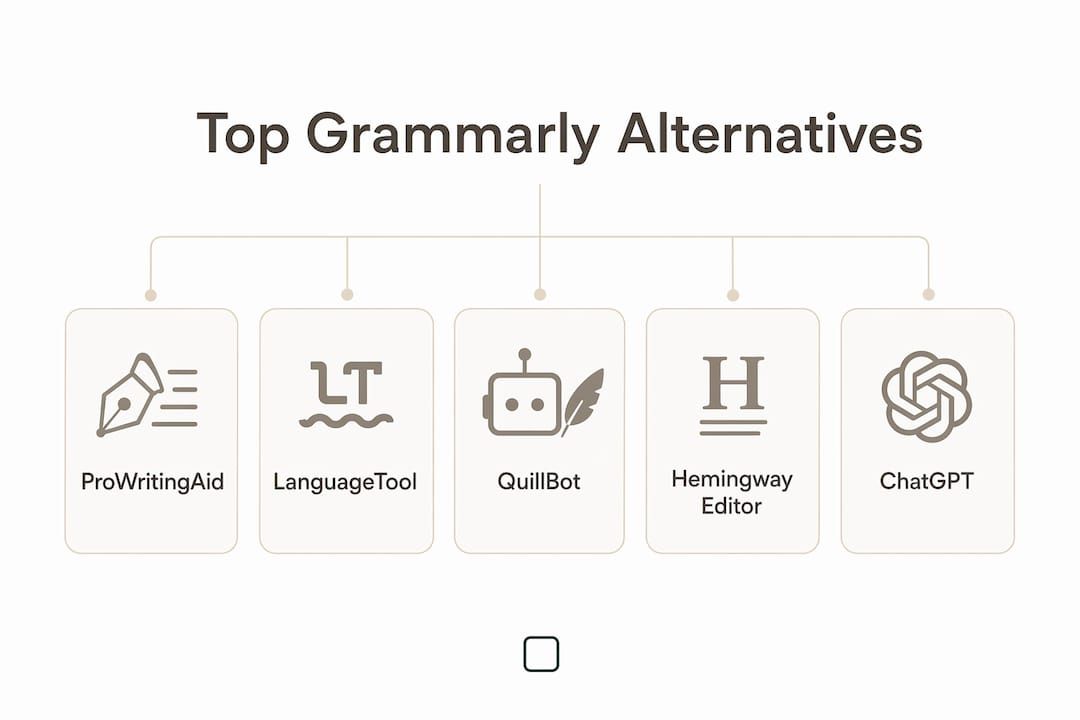
The honest answer: several of them outperform Grammarly in specific areas, and a few beat its free tier outright. QuillBot's free grammar checker offers unlimited checking without the constant upsell prompts that frustrate Grammarly's free users. LanguageTool covers 30+ languages and dialects that Grammarly simply doesn't match. ProWritingAid goes deeper on craft for authors than either. The right pick depends on what you're actually writing and who you're writing for.
Here's a fast-scan comparison of the leading options before the deeper breakdown:
| Tool | Best For | Key Strength | Free Tier | Languages |
|---|---|---|---|---|
| ProWritingAid | Long-form authors | 25+ writing reports | Yes (limited) | English |
| LanguageTool | Multilingual writers | Over 30 languages and dialects | Yes (2,000 chars/check) | Over 30 |
| QuillBot | ESL and paraphrasing | Free unlimited grammar | Yes (full grammar) | Multiple |
| Hemingway Editor | Clarity-focused writers | Readability scoring | Yes (web) | English |
| Wordtune | Rewriting and tone | AI phrasing options | Yes (limited) | English |
| DeepL Write | Multilingual business | Grammar + translation | Yes | Multiple |
| Writer.com | Enterprise teams | Brand voice enforcement | No (enterprise) | English |
| Ginger | Accessibility needs | Text-to-speech readback | Yes (limited) | Multiple |
| Jasper | Marketing copy | AI content generation | Trial only | English |
| ChatGPT | Versatile AI editing | Flexible grammar + ideas | Yes | Many |
| PaperRater | Students | Plagiarism + grammar | Yes | English |
| CopyLeaks | Plagiarism detection | AI-powered detection | Trial | Multiple |
| Sapling | Customer support teams | Conversational AI | Yes (limited) | English |
| Reverso | Translation + grammar | Contextual dictionary | Yes | Multiple |
| PerfectIt | Professional editors | Style consistency | Trial | English |
| Readable | Content clarity | Readability metrics | Trial | English |
| Writesonic | SEO and marketing | Content templates | Yes (limited) | English |
| EditGPT | Instant AI editing | Real-time suggestions | Yes | English |
| WhiteSmoke | General grammar | Translation + plagiarism | No (paid only) | Multiple |
| Slick Write | Casual bloggers | No signup needed | Yes (full) | English |
| QueText | Plagiarism focus | Color-coded results | Yes (limited) | English |
| Virtual Writing Tutor | ESL learners | Pronunciation feedback | Yes | English |
| SentenceCheckup | Quick sentence polish | No subscription | Yes | English |
| Readwise | Research-driven writers | Highlight integration | Yes (limited) | English |

Pro Tip: If you're on Grammarly's free tier mainly to catch typos and basic grammar errors, QuillBot's free version handles that job without nagging you to upgrade.
A detailed look at how these tools compare
No single tool wins across every dimension. The best writing tools separate themselves on language depth, workflow fit, and what they prioritize: correction, generation, or readability.

Grammar depth and accuracy
ProWritingAid leads for writers who want craft-level feedback. Its 25+ writing reports analyze pacing, sentence variety, overused words, and dialogue tags, not just comma placement. That depth is genuinely useful for novelists and long-form journalists. It also does not use your text to train AI models, which matters if you're working on unpublished manuscripts.
LanguageTool punches hard on pure grammar accuracy across languages. Its free tier checks spelling, basic punctuation, and some style issues; the Premium tier unlocks the full rule set. The browser add-on works across Chrome, Firefox, and Safari, and the desktop app covers Microsoft Word and most Mac applications.
Hemingway Editor takes a different angle entirely. It doesn't suggest corrections so much as it highlights problems: sentences colored by complexity level, passive voice flagged in red, adverbs in blue. You fix the prose yourself. Writers who want to develop their own editing instincts often prefer this over tools that auto-correct.
Paraphrasing and AI rewriting
QuillBot is the clear leader here. Its free tier includes paraphrasing, translation, and AI-detection checking, with no word-count cap on basic grammar. Wordtune offers multiple AI-generated phrasing alternatives per sentence, which is useful when you know something reads awkwardly but can't pinpoint why. Neither replaces a grammar checker for technical accuracy, but both save time on rewrites.
Writesonic and Jasper are primarily content generation platforms with grammar features bolted on. They work well for marketing teams producing high volumes of copy, but they're not the right choice if your main need is editing existing prose.
Plagiarism and originality checking
CopyLeaks and QueText are the specialists here. CopyLeaks uses AI-powered detection and works across multiple file formats, making it practical for publishers and content managers. QueText's color-coded results are easy to read at a glance, though its grammar correction is limited. PaperRater combines both plagiarism checking and grammar feedback in a free, no-signup interface aimed at students.
Multilingual support
For writers working across languages, the gap between tools is significant. LanguageTool supports over 30 languages and dialects, including English in six regional variants (US, UK, Canadian, Australian, New Zealand, and South African), Spanish, German, French, Dutch, Portuguese, and more. DeepL Write pairs grammar correction with the DeepL translation engine, making it the strongest option for business writers who draft in multiple languages. Reverso adds a contextual dictionary and conjugation tools on top of grammar checking, which is particularly useful for language learners and translators.
Pro Tip: If you write in a language other than English, LanguageTool and DeepL Write are the two tools worth testing first. Most others are English-only or treat other languages as secondary.
Pros and cons at a glance
ProWritingAid
- Pros: Deep craft analysis, privacy-respecting, strong manuscript support
- Cons: Steeper learning curve, less useful for short-form content
QuillBot
- Pros: Generous free tier, no aggressive upselling, multilingual paraphrasing
- Cons: Grammar depth is lighter than ProWritingAid or LanguageTool Premium
LanguageTool
- Pros: Best multilingual coverage, works in most browsers and Word
- Cons: Free tier limited to 2,000 characters per check
Hemingway Editor
- Pros: Forces you to think about clarity, free web version
- Cons: No grammar correction, English only
Writer.com
- Pros: Brand voice enforcement, custom AI models for enterprise
- Cons: Priced for organizations, not individual writers
Sapling
- Pros: Strong for customer support messaging, real-time suggestions
- Cons: Narrow use case outside of business communication
PerfectIt
- Pros: Excellent style consistency checking, integrates with Word
- Cons: Focused on editing professionals, overkill for casual writers
Integration and workflow
Integration with Google Docs, Microsoft Word, and browser extensions is the factor that most often determines whether a tool actually gets used. LanguageTool covers all three. QuillBot has desktop apps, mobile apps, and browser extensions. Hemingway Editor is web-only, though a desktop app exists for a one-time purchase. PerfectIt is a Word add-in, which limits it to that environment but makes it extremely precise within it.
Sapling and Writer.com are built for team environments with API access and admin controls. Individual writers rarely need that layer, but enterprise buyers often cite it as the deciding factor.
How to choose the right tool for your writing needs
The choice comes down to four questions, and answering them honestly narrows the field fast.
What are you writing?
Long-form authors (novelists, journalists, technical writers) get the most from ProWritingAid. Its analysis across chapters and large files is something most grammar tools can't replicate, since many tools optimized for short-form content lose accuracy and context on long documents. Business writers producing emails, reports, and presentations tend to prefer Hemingway Editor or Wordtune for quick clarity fixes. Marketing teams generating volume copy lean toward Jasper or Writesonic.
What languages do you write in?
English-only writers have the widest selection. Writers working in Spanish, German, French, or other languages should start with LanguageTool or DeepL Write and evaluate from there. Tools like grammar checkers for multilingual documents are worth testing if your work spans multiple languages regularly.
What's your budget?
- Free with no signup: Slick Write, SentenceCheckup, Hemingway Editor (web), Virtual Writing Tutor
- Free tier with limits: QuillBot, LanguageTool, PaperRater, Wordtune, EditGPT
- Paid only: WhiteSmoke, PerfectIt, Writer.com (enterprise)
- One-time purchase: Hemingway Editor (desktop app)
Do you need grammar correction, AI rewriting, or both?
AI rewriting tools and grammar checkers serve different functions. Rewriting tools like Wordtune and QuillBot's paraphraser change phrasing and tone but often miss technical grammar errors. Dedicated grammar tools like LanguageTool and PerfectIt catch mechanical errors but won't rewrite your prose. Most writers end up using one of each, which is worth factoring into your budget.
Questions to ask before committing to a tool:
- Does it integrate with the apps I already use (Word, Google Docs, Chrome)?
- Does it support the language or dialect I write in?
- Does the free tier cover my typical document length?
- Does it send my text to external servers, and does that matter for my content?
- Am I primarily editing existing text or generating new content?
What experts and analysts say about picking a writing tool
The clearest expert consensus: match the tool to your primary writing medium, not to a feature checklist. Long-form authors benefit most from ProWritingAid's craft-level reports. Business writers get more practical value from Hemingway or Wordtune's clarity and tone controls. ESL writers and multilingual professionals should prioritize LanguageTool or DeepL Write over any English-centric tool.
That distinction matters in practice. ChatGPT can fix grammar, rewrite paragraphs, and suggest structure, but it can also introduce errors or hallucinate corrections on longer documents. Using it alongside a dedicated grammar checker like LanguageTool or ProWritingAid catches what each misses.
Privacy is a growing concern that analysts are starting to take seriously. Cloud-based grammar tools process your text on remote servers, which creates real exposure risk for unpublished manuscripts, legal documents, or proprietary business content. ProWritingAid's policy of not training AI on user text is a meaningful differentiator in that context. Offline tools go further by keeping text off the network entirely.
Integration ecosystems drive adoption more than raw feature counts. A tool with slightly weaker grammar detection that works inside your existing Word or Google Docs workflow will get used. A more powerful tool that requires copying text into a separate interface often won't.
What users actually say about these tools
User sentiment across G2 and Capterra reveals patterns that feature lists don't capture.
ProWritingAid earns consistent praise from authors for its depth, but reviewers frequently note the interface takes time to learn. The volume of reports can feel like too much for writers who just want quick feedback.
QuillBot gets strong marks for its free tier and clean interface. PCMag's reviewers specifically called out its lack of intrusive upselling as a key advantage over Grammarly. Users on G2 rate it well for paraphrasing accuracy, though some note the grammar suggestions are lighter than Grammarly Premium.
Wordtune reviews on G2 and Capterra highlight the AI rewriting alternatives as genuinely useful, particularly for non-native English writers who know what they want to say but struggle with phrasing. The main complaint is that the free tier is limited enough to feel like a demo.
LanguageTool users consistently praise the multilingual support and the browser add-on reliability. The free tier's character limit frustrates writers working on longer documents, but Premium users report few complaints.
Hemingway Editor has a loyal following among bloggers and journalists who want a fast readability check. The criticism is always the same: it flags problems without fixing them, which is either a feature or a flaw depending on how you write.
ChatGPT reviews on G2 reflect its versatility but also its unpredictability. Users appreciate that it can handle grammar, rewriting, and ideation in one place, but several note that you need to verify its corrections carefully, especially on technical or specialized content.
Jasper and Writesonic reviews skew toward marketing professionals who value content volume and template variety. Writers outside that use case often find the tools over-engineered for their needs.
Slick Write, SentenceCheckup, and PaperRater attract users who want a no-friction, no-account option. Reviews are generally positive within that narrow expectation: fast, free, and functional for basic checks.
Support quality and update frequency across tools
Support quality varies sharply between free and paid tiers, and between consumer and enterprise products.
LanguageTool releases updates frequently and maintains active community forums. Premium and Team subscribers get email support; free users rely on documentation and community threads.
ProWritingAid has a responsive support team and publishes regular product updates. Its blog and help center are genuinely useful, covering both tool features and writing craft.
QuillBot offers email support for paid users and a help center for free users. Update frequency is high, with new AI features added regularly since its paraphrasing tool became its flagship feature.
Writer.com and Sapling provide dedicated account management for enterprise clients. That level of support doesn't exist for individual users, which is by design: both products are built for team deployment.
Hemingway Editor is a small operation. Updates are infrequent, support is minimal, and the tool hasn't changed dramatically in years. That's not necessarily a problem since the core functionality is stable and the tool does what it does well.
Jasper and Writesonic update aggressively, adding new AI models and templates regularly. Support for paid plans is responsive; free tier users get limited help.
PaperRater, Slick Write, and SentenceCheckup are lightweight tools with minimal support infrastructure. They work for what they are, but don't expect active development or fast responses to issues.
PerfectIt stands out for professional-grade support and regular updates tied to major style guide revisions (Chicago, APA, AMA). Editors who rely on it for client work report that the development team is responsive to feature requests.
ChatGPT and EditGPT update on OpenAI's release cycle. ChatGPT Plus subscribers get priority access to new models; free users may experience slower performance during peak times.
GreenCube is a different kind of writing tool
Most of the tools above send your text to a cloud server the moment you start typing. That's fine for casual writing. For sensitive content, unpublished work, or anything proprietary, it's a real tradeoff.

GreenCube takes a different approach entirely. It's a private AI desktop app that runs fully offline on your own computer. Nothing you type leaves your machine. No cloud processing, no accounts, no subscription. You buy it once and it's yours. For writers working on manuscripts, legal documents, or confidential business content, that's a meaningful distinction from every cloud-based grammar tool on this list.
GreenCube isn't a grammar checker in the traditional sense. It's a capable AI you can chat with, use to read and analyze PDFs, and ask to review or improve your writing, all without an internet connection. If cloud-based data exposure is a concern for your work, it's worth a look. One-time purchase, Windows now, Mac coming. Find it at greencube.app.
Key Takeaways
The strongest Grammarly alternative is the one that matches your writing medium, language needs, and privacy requirements, not the one with the longest feature list.
| Point | Details |
|---|---|
| Free tiers vary widely | QuillBot offers unlimited free grammar checking; LanguageTool's free tier caps at 2,000 characters per check. |
| Language support is a real differentiator | LanguageTool covers over 30 languages and dialects, including six English variants; most alternatives are English-only. |
| Long-form writers need specialized tools | ProWritingAid's 25+ craft reports address pacing and style across full manuscripts, which short-form tools can't replicate. |
| Privacy matters for sensitive content | Cloud-based tools process text on remote servers; offline tools like GreenCube keep everything on your own machine. |
| GreenCube for private AI writing | GreenCube runs fully offline with no subscription, suited for writers who need AI assistance without cloud exposure. |
FAQ
Is there a better option than Grammarly?
For specific use cases, yes. QuillBot's free tier beats Grammarly's free version on usability and lacks the aggressive upselling. LanguageTool outperforms Grammarly on multilingual support, covering over 30 languages and dialects compared to Grammarly's English focus.
Is ChatGPT or Grammarly better for grammar checking?
Grammarly is more reliable for catching mechanical grammar errors in real time within documents. ChatGPT is more flexible and can handle rewriting, tone, and structure, but requires careful review since it can introduce errors, especially in longer documents.
Will I get flagged for AI if I use a grammar checker?
Standard grammar checkers like LanguageTool, ProWritingAid, and Hemingway Editor correct errors without generating new content, so they don't typically trigger AI-detection tools. AI rewriting tools like QuillBot's paraphraser or Wordtune may produce output that AI detectors flag, depending on how heavily you use them.
What is the most private grammar tool available?
Offline tools that don't send text to external servers offer the strongest privacy. ProWritingAid does not train AI on user text. GreenCube runs entirely on your own computer with no cloud connection at all, which is the most private option for writers handling sensitive or proprietary content.
What's the best free Grammarly substitute for students?
PaperRater combines grammar checking and plagiarism detection with no account required, making it practical for academic writing. QuillBot's free tier is also strong for grammar and paraphrasing without a subscription.
Recommended
- Does ChatGPT train on your data? (2026) — the honest answer
- GreenCube — AI that's yours, not rented
- Why GreenCube — you're not the customer, you're the training data
Your own AI, on your own PC
GreenCube runs on your computer: no usage limits, no subscription, works without internet. €9.99 (US$9.99), paid once.
Get GreenCube